shadcn.io is an independent project built on shadcn/ui
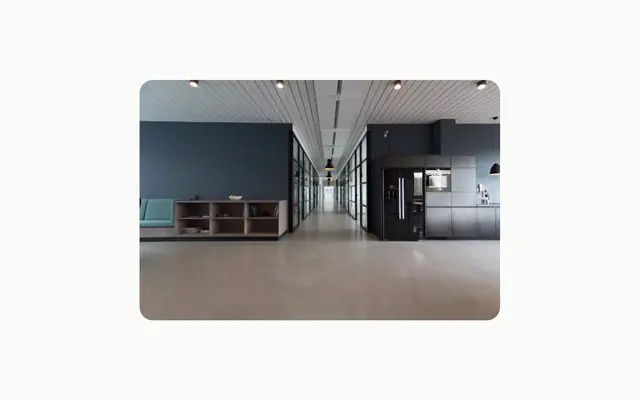
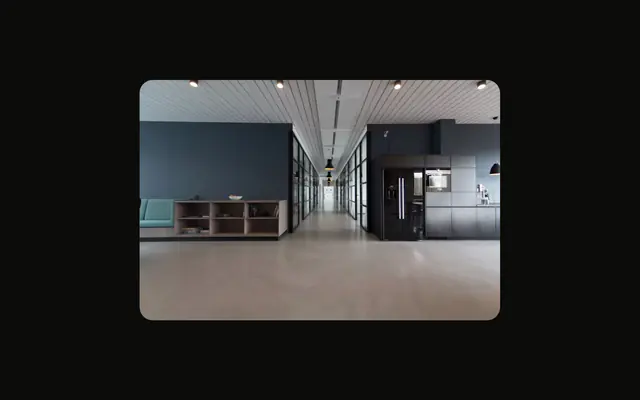
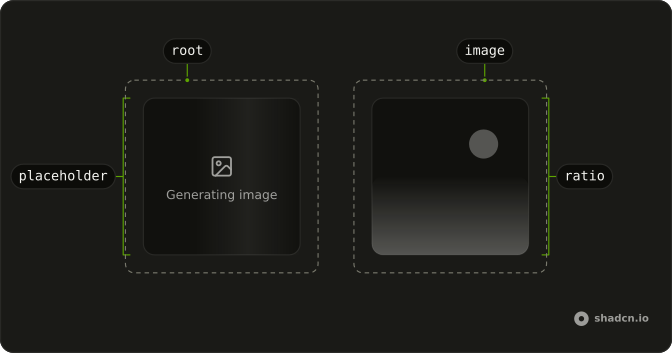
The image a model made, in a frame of its aspect ratio. While it generates, the frame shimmers and says so; when it fails, the frame says that instead.
Use it for the output of the AI SDK's generateImage, or of an image tool in a chat: it takes the image as base64 or bytes with its media type, the shape the SDK returns. A picture you already have a URL for is a plain img. In React, the frame keeps the ratio from the first frame, so the reply doesn't jump when the image lands.
Installation
Anatomy
Usage
import { GeneratedImage } from "@/components/ui/generated-image";<GeneratedImage
alt="Soft waves of violet and cyan light"
base64={image.base64}
className="max-w-64"
mediaType="image/webp"
/>Demos
States
Three values of state: generating draws the placeholder with its shimmer, error turns the frame red and says it failed, and done shows the image. Leave state out and the frame follows the data, generating until base64 or uint8Array arrives. Children replace the placeholder's words, as the error frame does here. Reduced motion holds the shimmer still.
Aspect Ratio
aspectRatio takes the ratio in the form generateImage takes it: 16:9, 1:1 (the default), 9:16. Pass the one you asked the model for, so the placeholder already has the image's shape. A class such as aspect-video works too. The width is yours to set, with a class on the frame.
In a Chat
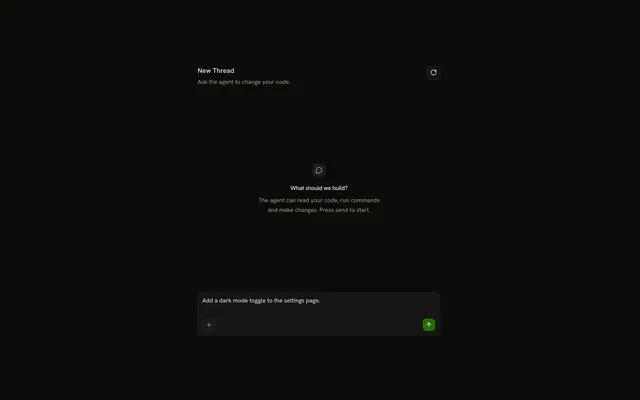
The image inside an agent's reply, built on Message: it generates for three seconds, then comes into focus. Regenerate runs it again. The focus only plays for an image the reader saw generating; one that was ready when the page loaded just shows.
AI SDK
generateImage runs on the server. Send the image's base64 and mediaType back as JSON: the result is a class whose bytes don't survive JSON.stringify whole.
import { openai } from "@ai-sdk/openai";
import { experimental_generateImage as generateImage } from "ai";

export async function POST(request: Request) {
  const { prompt } = await request.json();
  const { image } = await generateImage({
    model: openai.image("gpt-image-1"),
    prompt,
    size: "1536x1024",
  });

  return Response.json({ base64: image.base64, mediaType: image.mediaType });
}<GeneratedImage
alt={prompt}
aspectRatio="3:2"
base64={image?.base64}
mediaType={image?.mediaType}
/>In a chat, make image generation a tool. Its output goes back to the model on the next turn, so toModelOutput sends the model a line instead of the whole base64.
import { openai } from "@ai-sdk/openai";
import { experimental_generateImage as generateImage, tool } from "ai";
import { z } from "zod";

const tools = {
  generateImage: tool({
    description: "Draw an image from a prompt",
    inputSchema: z.object({ prompt: z.string() }),
    execute: async ({ prompt }) => {
      const { image } = await generateImage({
        model: openai.image("gpt-image-1"),
        prompt,
      });
      return { base64: image.base64, mediaType: image.mediaType };
    },
    toModelOutput: () => ({ type: "text", value: "The image is shown." }),
  }),
};
const { messages } = useChat();
const stateOf = (state: string) => {
if (state === "output-available") {
return "done";
}
return state === "output-error" ? "error" : "generating";
};
// In each message's parts:
if (part.type === "tool-generateImage") {
return (
<GeneratedImage
alt={part.input?.prompt}
base64={part.output?.base64}
key={part.toolCallId}
mediaType={part.output?.mediaType}
state={stateOf(part.state)}
>
{part.state === "output-error" ? part.errorText : null}
</GeneratedImage>
);
}The tool part's state maps to the frame's:
| Tool part state | state |
|---|---|
input-streaming, input-available | generating |
output-available | done |
output-error | error, with errorText as its children |
Migrating from AI SDK Elements
AI SDK Elements' Image is GeneratedImage here: a bare Image export would shadow the browser's Image constructor. Run the command in Installation, then change the import and keep the code that uses it:
import { GeneratedImage as Image } from "@/components/ui/generated-image";It takes the same props, so <Image {...image} alt="…" /> keeps working. What differs:
classNamelands on the frame, adiv, and theimgfills it. The frame is square until you passaspectRatioor anaspect-*class, where Elements'imgtook the image's own shape.uint8Arrayis used when there's nobase64. Elements ignored it.- There is no fixed
widthandheightof 400: the frame fills its parent's width, so set one with a class. - An image with no data yet shows the generating placeholder, where Elements drew a broken
img. Remove the Shimmer you showed in its place.
FAQ
What image data does Generated Image take?
The shape the AI SDK's generateImage returns: base64, or the bytes as uint8Array, with mediaType such as image/png, the default. The frame turns them into a data URL, so PNG, JPEG, WebP and GIF all work. For an image already at a URL, use a plain img.
How do I show that an image is still generating in React?
Set state to generating, or leave it out and pass no data yet: the frame shows a placeholder whose light sweeps across and whose words shimmer, and sets aria-busy. When the data arrives, the image takes its place in the same frame. Children replace the words, for a language other than English.
How do I show that image generation failed?
Set state to error. The frame turns red with a broken-image icon and says the image couldn't be generated; put the tool's errorText, or your own sentence, in its children. An image whose data won't decode shows the same frame on its own.
How do I keep the layout from jumping when the image loads?
Pass aspectRatio with the ratio you asked the model for, such as 16:9: the placeholder has the image's shape before it exists. It's 1:1 by default. Set the width with a class on the frame, such as max-w-64.
Does Generated Image respect reduced motion?
Yes. The sweep and the shimmer stop, and the image appears without coming into focus. Otherwise the focus plays once, for an image the reader saw generating: one already there when the page loads just shows. It needs no animation library in React: the keyframes come with the install.
API Reference
GeneratedImage
<div> data-slot="generated-image"
alt?string
What the image shows, for screen readers: the prompt is a good start.
- Default
""
aspectRatio?`${number}:${number}`
Its width to its height, as generateImage takes it (16:9). The
frame keeps it while it generates, so nothing moves when the image
lands.
- Default
"1:1"
base64?string
The image, base64-encoded.
children?React.ReactNode
The placeholder's words, in place of "Generating image" or, in the error state, "The image couldn't be generated".
mediaType?string
The image's type, such as image/png.
- Default
"image/png"
state?GeneratedImageState
generating draws a shimmering placeholder, error says it failed,
done shows the image. Left out, it's generating until there's an
image.
uint8Array?Uint8Array
The image's bytes: used when there's no base64.
className?string
Merged with the part's classes.
data-state?string
Mirrors state.