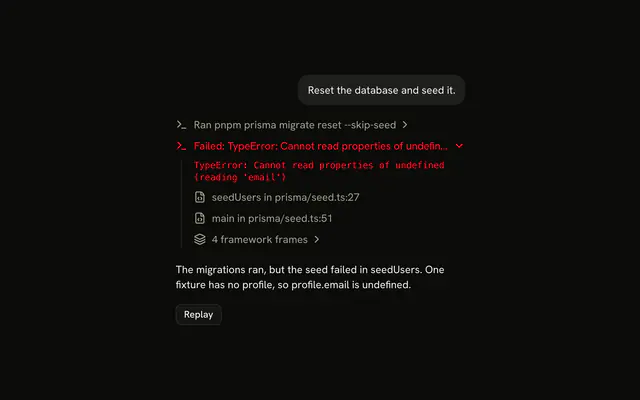
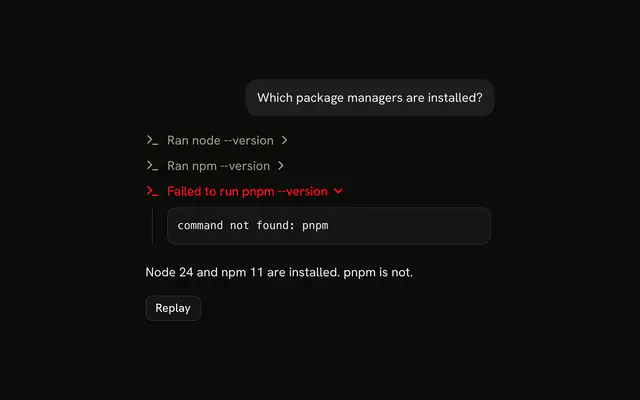
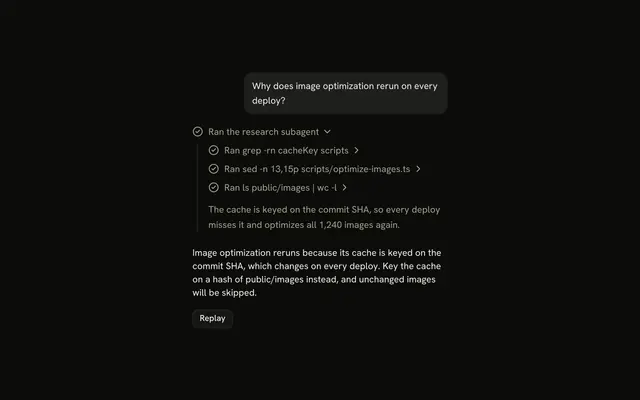
shadcn.io is not affiliated with official shadcn/ui
The agent ran the tests, and one line under the request says how it went: Ran 5 tests, 1 failed.
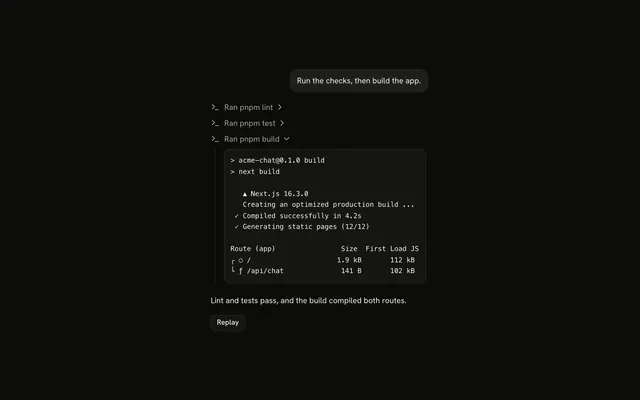
Use Test Results for the output of a test command. The line opens into a line per suite, a suite into its tests, and a failed test into its error in a Code Block. Each line is a Trace part, so there is no Test Results component to install in React: the composition is yours to edit. Open what failed, leave what passed shut, and keep the counts in the titles so a closed line still says how the run went.
Installation
Test Results is a pattern. The command adds the parts it's built from, Trace and Code Block, and the code to copy is the demo's.
Anatomy
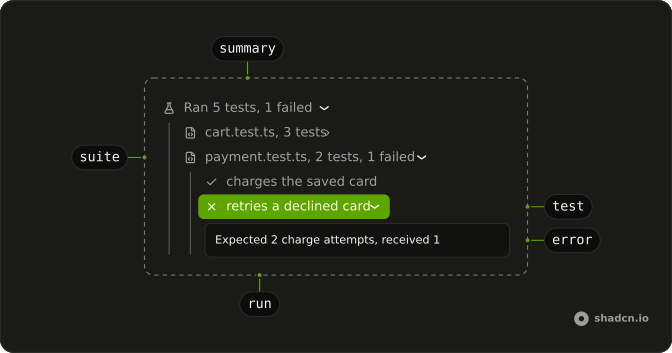
Trace
└── TraceCollapsible (the run)
    ├── TraceCollapsibleTrigger
    │   └── TraceLine (Ran 5 tests, 1 failed)
    └── TraceCollapsibleContent
        └── Trace (the suites)
            └── TraceCollapsible (one per suite)
                ├── TraceCollapsibleTrigger
                │   └── TraceLine (payment.test.ts, 2 tests, 1 failed)
                └── TraceCollapsibleContent
                    └── Trace (the tests)
                        ├── TraceLine (a test that passed or was skipped)
                        └── TraceCollapsible (a test that failed)
                            ├── TraceCollapsibleTrigger
                            │   └── TraceLine (status="error")
                            └── TraceCollapsibleContent
                                └── CodeBlock (the error)
Usage
import { CheckIcon, FlaskConicalIcon, XIcon } from "lucide-react";
import {
  CodeBlock, CodeBlockContent,
} from "@/components/ui/code-block";
import {
  Trace, TraceCollapsible, TraceCollapsibleContent,
  TraceCollapsibleTrigger, TraceIcon, TraceLine, TraceTitle,
} from "@/components/ui/trace";<Trace>
<TraceCollapsible>
<TraceCollapsibleTrigger>
<TraceLine status="error">
<TraceIcon>
<FlaskConicalIcon aria-hidden="true" />
</TraceIcon>
<TraceTitle>Ran 2 tests, 1 failed</TraceTitle>
</TraceLine>
</TraceCollapsibleTrigger>
<TraceCollapsibleContent>
<Trace>
<TraceLine>
<TraceIcon>
<CheckIcon aria-hidden="true" />
</TraceIcon>
<TraceTitle>creates a user</TraceTitle>
</TraceLine>
<TraceCollapsible>
<TraceCollapsibleTrigger>
<TraceLine status="error">
<TraceIcon>
<XIcon aria-hidden="true" />
</TraceIcon>
<TraceTitle>updates a user profile</TraceTitle>
</TraceLine>
</TraceCollapsibleTrigger>
<TraceCollapsibleContent>
<CodeBlock size="sm">
<CodeBlockContent className="max-h-64" wrap>
Expected status 200, received 500
</CodeBlockContent>
</CodeBlock>
</TraceCollapsibleContent>
</TraceCollapsible>
</Trace>
</TraceCollapsibleContent>
</TraceCollapsible>
</Trace>Demos
Suites
Three suites from one run, grouped by file: auth passed and stays shut, user-api and db each have a failure and start open. Each suite is a collapsible line with a Trace of its tests, its title the file name and its own counts, and a skipped test reads Skipped with a dashed circle. A failed test is a line that opens into its error, shut here so the suite reads as a list first.
Open the suites that have a failure with defaultOpen={failed > 0}.
AI SDK
Run the tests as a tool and render its output: Running while the tool part waits for it, then the run's line. The tool states map the same way as in Tool.
const tests = part.output.suites.flatMap((suite) => suite.tests);
const failed = tests.filter((test) => test.status === "failed").length;

return (
  <TraceCollapsible defaultOpen={failed > 0}>
    <TraceCollapsibleTrigger>
      <TraceLine status={failed > 0 ? "error" : undefined}>
        <TraceIcon>
          <FlaskConicalIcon aria-hidden="true" />
        </TraceIcon>
        <TraceTitle>
          Ran {tests.length} tests{failed > 0 && `, ${failed} failed`}
        </TraceTitle>
      </TraceLine>
    </TraceCollapsibleTrigger>
    <TraceCollapsibleContent>…</TraceCollapsibleContent>
  </TraceCollapsible>
);
Migrating from AI SDK Elements
If you added Test Results from AI SDK Elements (opens in a new tab), your project has a components/ai-elements/test-results.tsx wrapper. Paste this prompt into your coding agent to rebuild it on Trace and Code Block. Every export keeps its name and props, so the code that uses it keeps working.
Migrate components/ai-elements/test-results.tsx from AI SDK Elements to the shadcn.io Trace and Code Block components.

Keep every export, with the same name and props, so the code that imports it keeps working. Only change how each part renders.

1. Read https://kit.dev/ui/radix/test-results.md and build Test Results the same way. If the project hasn't got Trace and Code Block, run the command in its Installation section.
2. Rebuild each part:
   - Import CodeBlock and CodeBlockContent from @/components/ui/code-block, not from ./code-block.
   - TestResults renders a Trace with a TraceCollapsible. Keep summary.
   - TestResultsHeader renders a TraceCollapsibleTrigger with a TraceLine, and TestResultsSummary a TraceTitle with the counts, like "Ran 42 tests, 2 failed". Set status="error" when a test failed.
   - TestResultsContent renders a TraceCollapsibleContent with a Trace for the suites.
   - TestSuite renders a TraceCollapsible, open when it has a failure. TestSuiteName renders a TraceCollapsibleTrigger with a TraceLine, and TestSuiteContent a TraceCollapsibleContent with a Trace for the tests.
   - Test renders a TraceLine with a TraceTitle for its name. Set status="error" when it failed.
   - TestError renders a CodeBlock with size="sm", with TestErrorMessage and TestErrorStack in a CodeBlockContent.
   - Keep TestResultsDuration, TestResultsProgress, TestSuiteStats, TestName, TestDuration and TestStatus as they are.
3. Remove the imports the file no longer uses.
4. Run the type checker and fix any errors.
FAQ
What does installing Test Results add in React?
Trace and Code Block, the two parts the run is built from, with the Collapsible that Trace's lines open on and the shimmer utility for a running title. Test Results is a pattern, so no test-results file lands in your ui folder: copy the demo's code into your own component and feed it your runner's output. The command uses the shadcn CLI.
Which lines should start open?
The run and every suite with a failure. Under a reply, open the failed test too, as the first demo does, so its error is the first thing the reader sees. A suite that passed stays shut: its title already says how many tests ran. The reader can open or close any line after that.
Set defaultOpen from the counts, like defaultOpen={failed > 0}.
What shows while the tests run?
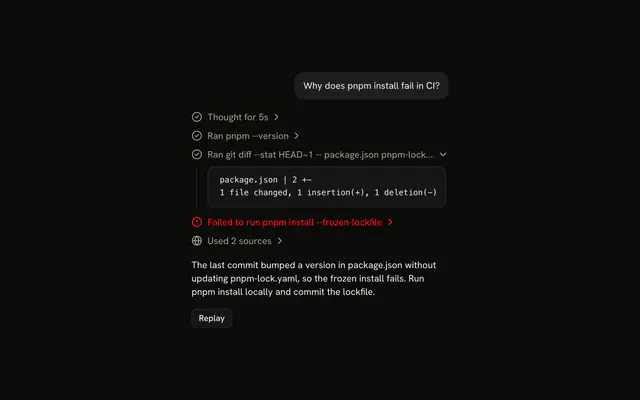
One line, Running pnpm test checkout, with status="running" so its title shimmers. It isn't a collapsible yet, since there is nothing to open. When the output arrives, the same place becomes the run's line with its counts. With the AI SDK, input-streaming and input-available are running, output-available is the run, and output-error is Failed to run.
How do I show a skipped test?
As a plain line with a dashed circle and the word in the title: Skipped deletes a user. Count it in the suite's title and the run's too, like 3 tests, 1 failed, 1 skipped. Leave it out of the failures, so a run with only skipped tests doesn't turn red.
Can the reader open a suite with the keyboard?
Yes. The run, each suite and each failed test is a button with aria-expanded, so Tab moves through them and Enter or Space opens one. A test that passed is plain text and not a tab stop. The titles say failed in words, because the red line alone says nothing to a screen reader.
Does it work in a right-to-left page?
The lines, icons and chevrons follow the reading direction, and a chevron points to the inline end while its line is closed. The error stays left to right inside its Code Block, as code and file paths read that way in any language.
Is this the same as AI SDK Elements' Test Results?
It shows the same run without a wrapper: TestResults, TestSuite and Test were components of their own, and here they are Trace lines, with each error in a Code Block. The Migrating from AI SDK Elements section has a prompt that rebuilds the old file on these parts and keeps its exports.
API Reference
Test Results has no props of its own. The run, each suite and each failed test is a TraceCollapsible with its trigger and content, and every line a TraceLine with status: see Trace. Each error is a Code Block with size="sm", and a CodeBlockContent that wraps.