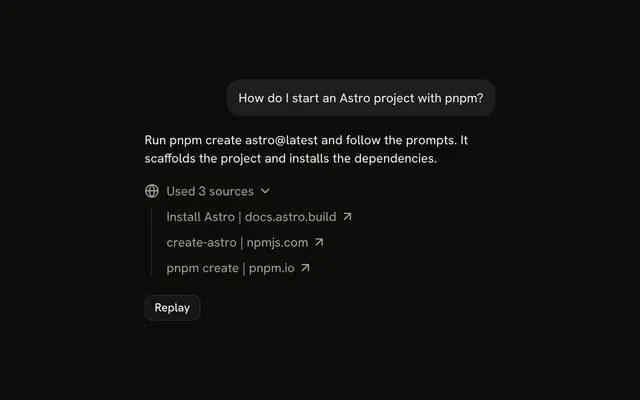
shadcn.io is not affiliated with official shadcn/ui
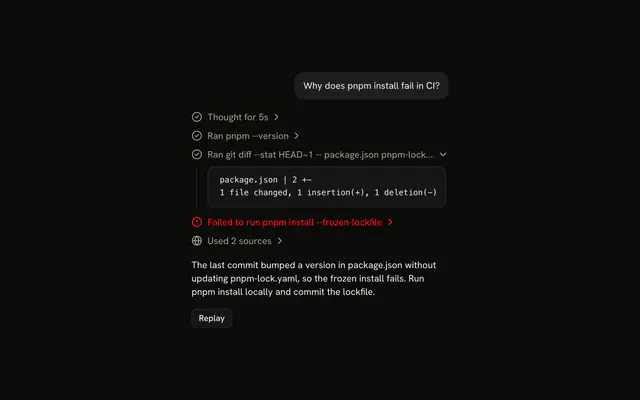
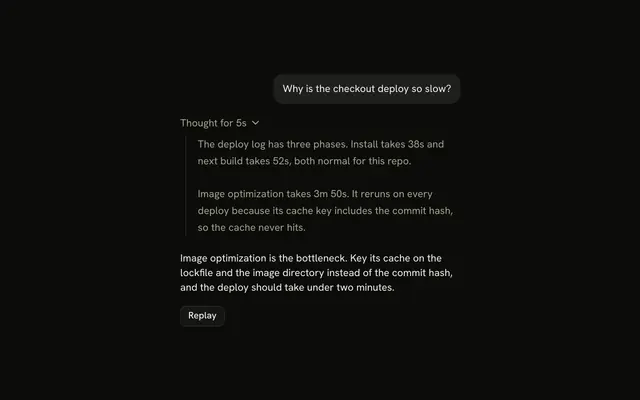
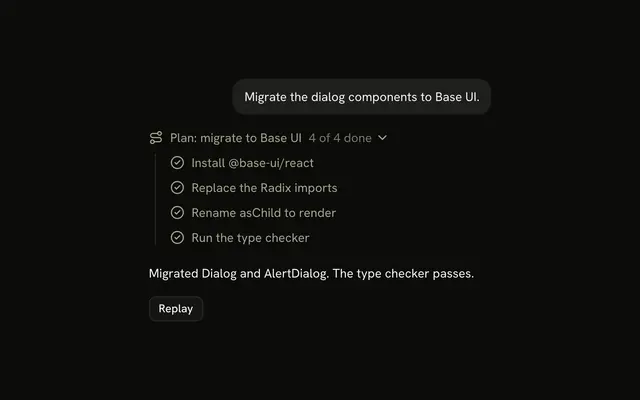
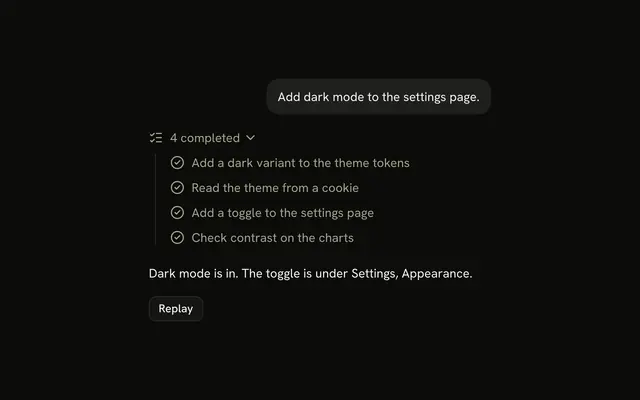
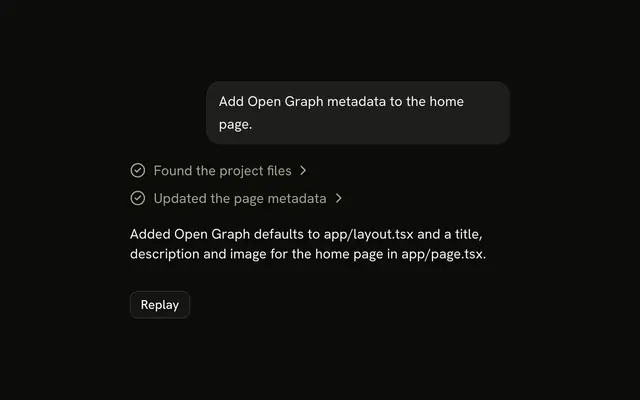
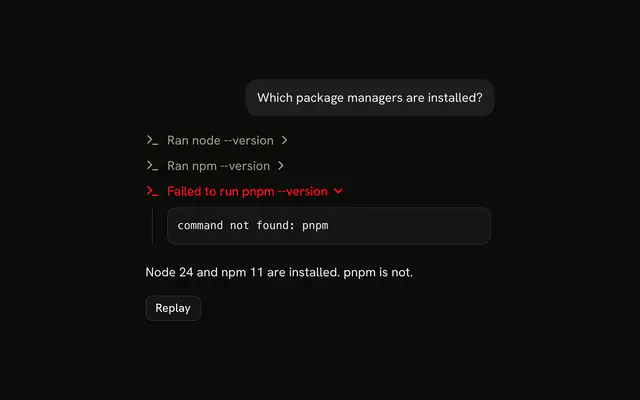
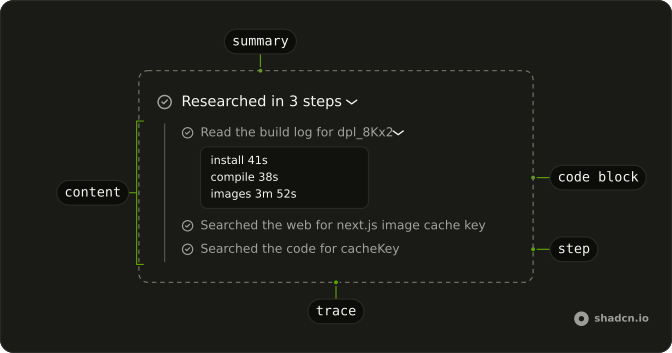
A line says what the agent did, like Researched in 3 steps, and opens onto the steps behind it, one line each, with their output one level down.
Use it when an agent works through several tool calls before it answers: the summary reads Researching and stays open while the steps run, then closes when the answer starts. It is a Trace line that expands into a Trace of steps, with a Code Block for a step's output and a Badge for each file or site it found, so there is no Chain of Thought component to install in React. Keep each step to one line that says what it did; its detail belongs one level down, not in the title.
Installation
Chain of Thought is a pattern. The command adds the parts it's built from, Trace, Code Block and Badge, and the code to copy is the demo's.
Anatomy
Trace
└── TraceCollapsible (the summary)
    ├── TraceCollapsibleTrigger
    │   └── TraceLine (Researched in 3 steps)
    └── TraceCollapsibleContent
        └── Trace (the steps)
            ├── TraceLine (a step with nothing to show)
            └── TraceCollapsible (a step with output)
                ├── TraceCollapsibleTrigger
                │   └── TraceLine
                └── TraceCollapsibleContent (Code Block, Badges, links)
Usage
import { CircleCheckIcon } from "lucide-react";
import {
  Trace, TraceCollapsible, TraceCollapsibleContent,
  TraceCollapsibleTrigger, TraceIcon, TraceLine, TraceTitle,
} from "@/components/ui/trace";
const steps = [
"Read the build log for dpl_8Kx2",
"Searched the web for next.js image cache key",
"Searched the code for cacheKey",
];
export function ChainOfThought() {
return (
<Trace>
<TraceCollapsible>
<TraceCollapsibleTrigger>
<TraceLine>
<TraceIcon>
<CircleCheckIcon aria-hidden="true" />
</TraceIcon>
<TraceTitle>Researched in {steps.length} steps</TraceTitle>
</TraceLine>
</TraceCollapsibleTrigger>
<TraceCollapsibleContent>
<Trace>
{steps.map((step) => (
<TraceLine key={step}>
<TraceIcon>
<CircleCheckIcon aria-hidden="true" />
</TraceIcon>
<TraceTitle>{step}</TraceTitle>
</TraceLine>
))}
</Trace>
</TraceCollapsibleContent>
</TraceCollapsible>
</Trace>
);
}Set defaultOpen on the summary's TraceCollapsible to show the steps at first.
Steps
Each step is a TraceLine. Set its status and write the title in the matching tense, since the color and the shimmer don't reach a screen reader.
| Step | status | Title |
|---|---|---|
| Running | "running" | Searching for … |
| Done, with detail | none | Searched for … |
| Done, links out | none | Read the Image component docs |
| Failed | "error" | Failed to search for … |
A step with output is a TraceCollapsible once the output arrives, and a plain line before, so there is nothing to open while it runs.
Radix UI removes closed content, so the steps forget their open state when the summary closes. Set forceMount on the summary's TraceCollapsibleContent to keep them.
Search Results
When a step runs a web search, show the results as a Badge for each hostname in the step's content, or as a Trace of links, one per result, as the demo does.
<TraceCollapsibleContent className="flex flex-wrap gap-1.5">
  {results.map((result) => (
    <Badge key={result.url} variant="secondary">
      {new URL(result.url).hostname}
    </Badge>
  ))}
</TraceCollapsibleContent>
AI SDK
Render each tool part as a step. running is true while tool parts stream and before the reply starts. Set the summary's status and title from the steps. The summary opens while the steps run, as in Trace.
const [open, setOpen] = useState<boolean>();
const running = streaming && !answering;
const failed = steps.filter((part) => part.state === "output-error").length;

<TraceCollapsible onOpenChange={setOpen} open={open ?? running}>
  <TraceCollapsibleTrigger>
    <TraceLine status={running ? "running" : failed > 0 ? "error" : undefined}>
      <TraceTitle>
        {running ? "Researching" : `Researched in ${steps.length} steps`}
      </TraceTitle>
    </TraceLine>
  </TraceCollapsibleTrigger>
  <TraceCollapsibleContent>
    <Trace>
      {steps.map((part) => (
        <StepLine key={part.toolCallId} part={part} streaming={streaming} />
      ))}
    </Trace>
  </TraceCollapsibleContent>
</TraceCollapsible>
StepLine renders one tool part as a TraceLine, as in Tool: running while its input streams, done with its output, failed with its error.
Migrating from AI SDK Elements
If you added ChainOfThought from AI SDK Elements (opens in a new tab), your project has a components/ai-elements/chain-of-thought.tsx wrapper. Paste this prompt into your coding agent to rebuild it on Trace and Badge. Every export keeps its name and props, so the code that uses it keeps working.
Migrate components/ai-elements/chain-of-thought.tsx from AI SDK Elements to the shadcn.io Trace and Badge components.

Keep every export, with the same name and props, so the code that imports it keeps working. Only change how each part renders.

1. Read https://kit.dev/ui/radix/chain-of-thought.md and build Chain of Thought the same way. If the project hasn't got Trace and Badge, run the command in its Installation section.
2. Rebuild each part:
   - ChainOfThought renders a Trace with a TraceCollapsible. Pass open, defaultOpen and onOpenChange to the TraceCollapsible.
   - ChainOfThoughtHeader renders a TraceCollapsibleTrigger with a TraceLine, a TraceIcon and a TraceTitle, like "Researched in 3 steps".
   - ChainOfThoughtContent renders a TraceCollapsibleContent with a Trace for the steps.
   - ChainOfThoughtStep renders a TraceLine. Its icon goes in a TraceIcon, its label in a TraceTitle and its description in a TraceDescription. Map status "active" to "running", "pending" to "pending", and "complete" to no status.
   - ChainOfThoughtSearchResults renders a flex-wrap list, and ChainOfThoughtSearchResult a Badge with variant="secondary".
   - Keep ChainOfThoughtImage as it is.
3. Remove the imports the file no longer uses.
4. Run the type checker and fix any errors.
FAQ
What does installing Chain of Thought add in React?
Trace, Code Block and Badge, the parts the summary and its steps are built from. Chain of Thought is a pattern, so no chain-of-thought file lands in your ui folder: copy the demo's code into your own component and change the steps. The command uses the shadcn CLI.
What should the summary line say?
What the steps did, in one line: Researching while they run, then Researched in 3 steps, with the count of failures when there are any. Set its status from the steps too, so it shimmers while any step runs and turns destructive when one failed.
Why does the summary open and close on its own?
So the reader can follow the steps while they wait, and the answer isn't pushed down once it starts. It follows the running flag until the reader opens or closes it, and from then on their choice wins.
Hold the open state as undefined and pass open ?? running, with your state set from onOpenChange.
Do the steps stay open when the summary closes?
Not by default: Radix UI removes closed content. Set forceMount on the summary's TraceCollapsibleContent to keep the steps in the page.
Closed steps are hidden from the keyboard and from screen readers either way.
Where does a step's output go?
One level down, in the step's TraceCollapsibleContent: a Code Block for a log or an error, a row of Badges for files or hostnames, a Trace of links for search results. A step with nothing to show stays a plain TraceLine, which isn't a tab stop.
Can the reader go through the steps with the keyboard?
Yes. The summary and each step with output are buttons with aria-expanded, and the search results are links, so Tab moves through them in order and Enter or Space opens a step. A plain step line is skipped. The chevrons point to the inline end in a right-to-left page.
Is this the same as AI SDK Elements' Chain of Thought?
It does the same job without a wrapper: each ChainOfThought part maps to a Trace part, the search results to Badges, and a step's status to the line's status. The Migrating from AI SDK Elements section has a prompt that rebuilds the old file on these parts and keeps its exports.
API Reference
Chain of Thought has no props of its own. The summary and each step are Trace lines, a step's output is a Code Block, and each file or hostname a Badge.