shadcn.io is an independent project built on shadcn/ui
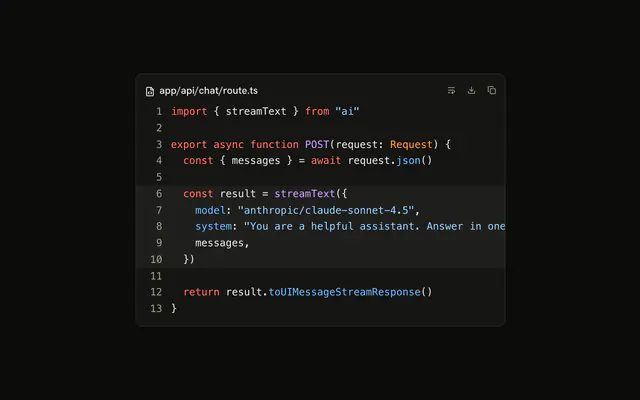
What the model made sits in its own panel: a header with the title, a line under it and a row of icon actions, then the content, which scrolls.
Use it when the answer is a thing to keep rather than a reply: a file of code, a plan, a draft. The chat says what it did in one line, and the artifact holds the result where the reader can copy it, download it or close it. For a snippet inside a message, use Code Block alone. In React, the actions are Buttons in a Tooltip from Radix UI, and the content is whatever you put in it.
Installation
Anatomy
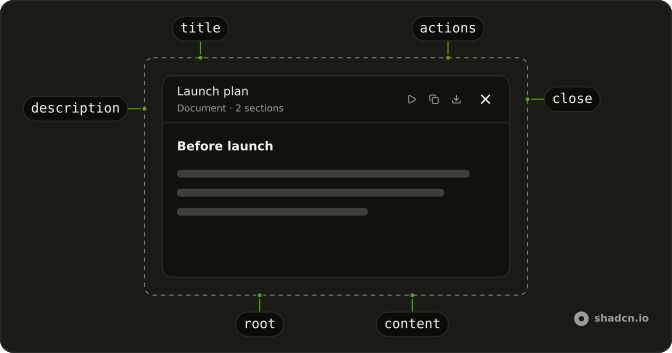
Artifact
├── ArtifactHeader
│   ├── ArtifactTitle
│   ├── ArtifactDescription
│   └── ArtifactActions
│       ├── ArtifactAction   an icon button with a tooltip
│       └── ArtifactClose
└── ArtifactContent          scrolls
Usage
import { CopyIcon } from "lucide-react";
import {
  Artifact, ArtifactAction, ArtifactActions, ArtifactContent,
  ArtifactDescription, ArtifactHeader, ArtifactTitle,
} from "@/components/ui/artifact";<Artifact className="max-w-md">
<ArtifactHeader>
<div>
<ArtifactTitle>Launch plan</ArtifactTitle>
<ArtifactDescription>Updated 1 minute ago</ArtifactDescription>
</div>
<ArtifactActions>
<ArtifactAction icon={CopyIcon} tooltip="Copy to clipboard" />
</ArtifactActions>
</ArtifactHeader>
<ArtifactContent>
The beta opens to the waitlist on Monday, in three waves a day apart.
</ArtifactContent>
</Artifact>Demos
Document
A plan written as a document, with two actions that work: copy puts the Markdown on the clipboard and turns into a check for two seconds, download saves it as a .md file. The tooltip changes with the icon, so the name a screen reader hears changes too. Put prose in ArtifactContent with your own spacing; it has none of its own beyond the padding.
Streaming
The file writes itself a few characters at a time, as tokens arrive, through a Code Block that highlights each pass. While it writes, the description says so and the actions are disabled, since there's nothing whole to copy yet. Press Replay to watch it again. ArtifactContent takes p-0 here, so the code runs to the panel's edges.
Close
The artifact opens beside the chat, and ArtifactClose hides it. The close button is yours to wire: it hides nothing by itself, so keep the open state where the chat can reach it. Here a button under the reply opens the notes again, and closing sends focus back to it, so a keyboard user isn't left at the top of the page.
AI SDK
A model writes an artifact through a tool, writeDocument in this example, whose input is the title and the content. The input streams in as the model writes it, so render the last call as it is and say it's writing while its state is input-streaming.
const { messages } = useChat();

const document = messages
  .flatMap((message) => message.parts)
  .filter((part) => part.type === "tool-writeDocument")
  .at(-1);

if (!document?.input) {
  return null;
}

return (
  <Artifact className="h-96">
    <ArtifactHeader>
      <div>
        <ArtifactTitle>{document.input.title}</ArtifactTitle>
        <ArtifactDescription>
          {document.state === "input-streaming" ? "Writing…" : "Document"}
        </ArtifactDescription>
      </div>
    </ArtifactHeader>
    <ArtifactContent>{document.input.content}</ArtifactContent>
  </Artifact>
);
Code goes in a Code Block inside ArtifactContent, as in the Streaming demo, and Markdown through your Markdown renderer.
Migrating from AI SDK Elements
If you added Artifact from AI SDK Elements (opens in a new tab), your project has a components/ai-elements/artifact.tsx. Install this one, import from @/components/ui/artifact instead, and delete the old file. Every part keeps its name, and tooltip, label and icon on ArtifactAction work as before. What differs:
- ArtifactAction and ArtifactClose are
icon-smButtons by default, notsmButtons sized down with classes. - Their name is an
aria-label(label, elsetooltip; Close for an ArtifactClose without children), not a hidden span. - On Radix each ArtifactAction brings its own TooltipProvider, as AI SDK Elements' does; on the other libraries a Tooltip needs none.
- ArtifactContent fills the panel's height and scrolls when the Artifact has a height.
FAQ
What can I put inside an Artifact?
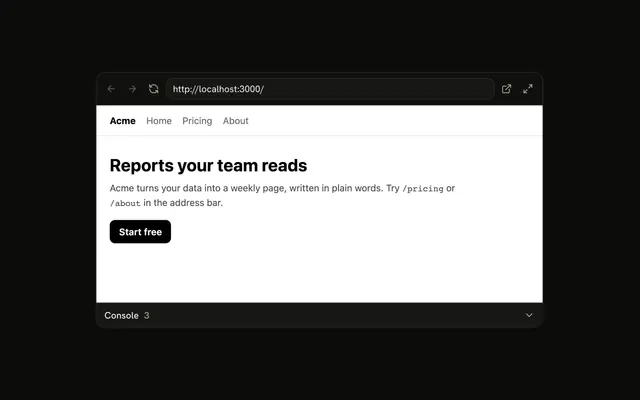
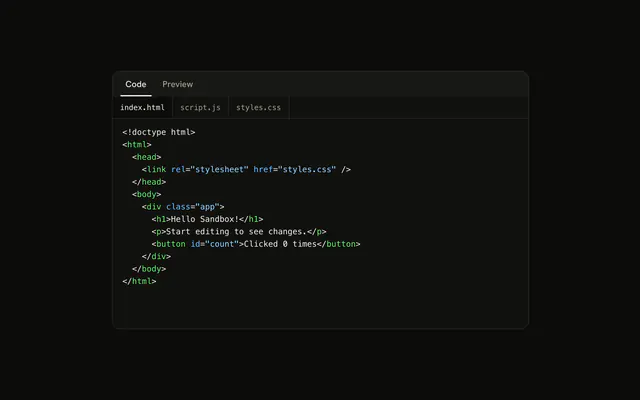
Anything: ArtifactContent is a box that scrolls. Code goes in a Code Block with p-0 on the content, as in the first demo; a document is your own headings and lists; a page the model built can be a Web Preview.
How do I make the Artifact's content scroll?
Give the Artifact a height, such as h-96 or the height of the panel it sits in. The header keeps its size, and ArtifactContent takes the rest and scrolls. Without a height, the Artifact grows with what's in it.
How do I add copy and download buttons to an Artifact?
Add an ArtifactAction to ArtifactActions with an icon from lucide, a tooltip that names it, and a handler: onClick. The tooltip is also its accessible name; pass label when the name should differ. The Document demo copies with the clipboard API and downloads through a Blob.
How does ArtifactClose close the panel?
It doesn't by itself: it's a button with an ×, named Close. Keep the open state beside the chat, set it from its handler, and move focus to whatever opens the artifact again, as the Close demo does.
Can the Artifact show content while the model is still writing it?
Yes. Render what has arrived so far and it updates as tokens come in; nothing in the Artifact waits for the end. Say it's writing in ArtifactDescription and disable the actions until it's done, as the Streaming demo does.
Is this the same as AI SDK Elements' Artifact?
The parts and their props are the same, so code that uses it keeps working once the import points here. The actions are icon-sized Buttons named by aria-label, and the content scrolls inside a panel with a height; the Migrating from AI SDK Elements section lists each change.
API Reference
Artifact
<div> data-slot="artifact"
className?string
Merged with the part's classes.
ArtifactHeader
<div> data-slot="artifact-header"
className?string
Merged with the part's classes.
ArtifactTitle
<p> data-slot="artifact-title"
className?string
Merged with the part's classes.
ArtifactDescription
<p> data-slot="artifact-description"
className?string
Merged with the part's classes.
ArtifactActions
<div> data-slot="artifact-actions"
className?string
Merged with the part's classes.
ArtifactAction
data-slot="artifact-action"
clickEffect?boolean
Apply a click effect to the button.
- Default
true
icon?LucideIcon
The icon it shows, in place of children: a lucide icon component.
isLoading?boolean
Show a loading indicator.
- Default
false
label?string
Its accessible name, when it isn't the tooltip's text.
- Default
tooltip
tooltip?string
Shown on hover and focus, and its accessible name without label.
asChild?boolean
Merge props onto the child element instead of rendering a host.
className?string
Merged with the part's classes.
ArtifactClose
data-slot="artifact-close"
clickEffect?boolean
Apply a click effect to the button.
- Default
true
isLoading?boolean
Show a loading indicator.
- Default
false
asChild?boolean
Merge props onto the child element instead of rendering a host.
className?string
Merged with the part's classes.
ArtifactContent
<div> data-slot="artifact-content"
className?string
Merged with the part's classes.