shadcn.io is not affiliated with official shadcn/ui
Shaders
FreeValley Mist Shader for React
An ink-wash landscape drawn on the GPU: mountain ridges recede in paler layers while mist pools and drifts in the valleys under a low sun. For React with Base UI, when a calm hero, an outdoor or a journaling page wants a quiet scene with clear sky for its headline.
Valley Mist Shader paints mountains the way an ink-wash scroll does. Six ridges recede in layers, each a little paler than the one in front, from a dark green-grey at the bottom to a blue-grey haze on the horizon. Every ridgeline is darkest at its crest and fades down into mist that pools in the valley beneath it, and the mist drifts slowly sideways, thickening and thinning as it goes. The ridges glide past at their own parallax speeds, and a pale sun sits low behind the farthest ones. A WGSL fragment shader on WebGPU computes every pixel each frame: each ridgeline is a sum of 1D noise, and the mist is two layers of 2D noise moving at different speeds.
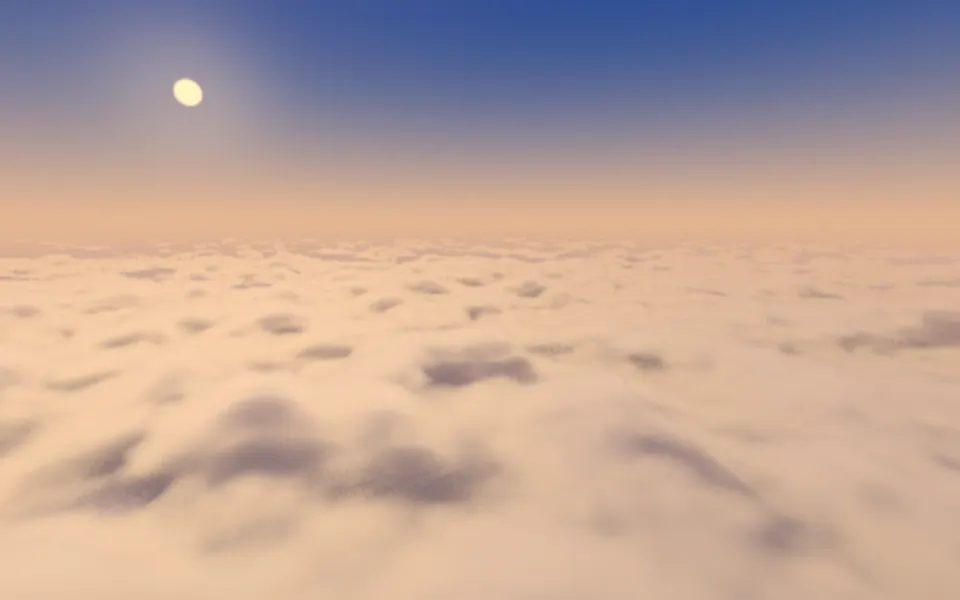
Use it behind a calm hero, an outdoor, travel or meditation page, or a journaling app's welcome screen: the sky fills the top half, clear for a headline. For mist with no land, use the Fog background; for a top-down relief map, Terrain; for the same calm from above the clouds, Cloud Sea Shader. It runs only while it's on screen, holds a still frame with reduced motion, and shows a gradient of the same sky and ridges in browsers without WebGPU.
Installation
Usage
import { ValleyMistShader } from "@/components/ui/valley-mist-shader";<ValleyMistShader className="flex min-h-[32rem] items-start justify-center pt-24">
<h1 className="text-5xl font-semibold text-slate-950">Slow down</h1>
</ValleyMistShader>Valley Mist Shader is a container: your content sits on top of the landscape, in normal flow. It fills its own box, so give it a height or content. For a backdrop behind the whole page, render it empty with className="fixed inset-0 -z-10". The default sky is a pale paper white in both color schemes, so put dark text in the top half, such as text-slate-950; keep it above the ridges, as the nearest ones are as dark as the text.
Demos
Night
The five color props repaint the whole scene. skyColor="#0e1626" and nearColor="#0a0f18" darken it to night, farColor="#2a3a55" turns the distant ridges to moonlit blue, mistColor="#5d6f8f" dims the mist so it glows rather than glares, and sunColor="#e8eeff" makes the low sun a full moon. Put white text in the sky.
In a card
In a small box, six ridges crowd together. layers={4} keeps the four boldest, and height={0.55} raises the farthest ridgeline so the land fills more of the card.
Performance
About 0.6 ms of GPU time a frame at 1280×720 on an M2 Max laptop, so it runs at full quality; slower GPUs take several times longer. The mist is soft, so quality={0.5} looks almost the same at a quarter of the work, though the ridgelines lose a little of their crispness. The animation stops when the shader scrolls out of view, and the browser pauses it in a hidden tab. Every shader on a page shares one GPU device and one frame loop, and vgpu (about 50 KB gzipped) loads only when the first one mounts.
Browser support
The shader needs WebGPU: Chrome and Edge, Safari 26 and later, and Firefox on Windows and macOS. Elsewhere, and until the first frame, the box shows a CSS gradient from the sky down through the ridge colors, which follows the color props, so the layout never jumps. data-state on the root reads unsupported there, if you want to style around it. See Shader Canvas.
Accessibility
The landscape is decoration: it's hidden from assistive tech and lets every click through to your content. With reduced motion it draws one still frame of the ridges and the mist and stops. Nothing flashes: the mist drifts over tens of seconds. In the top half of the default scene, slate-950 text stays above 17:1; across the middle band, where the far ridges rise, it stays above 6:1 on 95% of the pixels but falls to about 3.5:1 on the darkest crests, so keep body text in the sky. White text doesn't read on the default sky; use it only with dark colors, as in the night demo.
FAQ
How are the ridges and the mist drawn?
Each ridge is a line of 1D noise across the box: a sharp-peaked first octave makes the summits, and three softer octaves add the detail. The shader walks the ridges from front to back and stops at the first one that covers the pixel, blending across the ridgeline so it stays smooth. Below each crest, the mist thickens with depth and pools toward the valley floor, and two layers of 2D noise, stretched sideways and drifting at different speeds, make it thicken and thin.
How do I make the mist thicker or clear it?
intensity sets how thick the mist lies: 0 clears the air so every ridge shows solid, 1 is the default ink-wash, and 2 fills the valleys so only the ridgelines and the nearest hills show. mistColor sets its color, and the low sun tints it near the sun.
How do I leave more or less sky?
height is where the farthest ridgeline sits, from 0.2 to 0.7 of the box's height: the nearer ridges scale down with it, and the sky fills the rest. layers sets how many ridges recede, from 3 to 8: fewer reads bolder in a small box, more gives a deeper range.
Can I match it to my brand or make it dark?
Yes: skyColor, sunColor, mistColor, farColor and nearColor take any CSS color, var(--primary) included, and follow a theme switch. The ridges in between are blends of farColor and nearColor, so those two set the whole range. For a dark page, see the night demo above.
API Reference
ValleyMistShader
data-slot="valley-mist-shader"
fallback?string
What shows until the first frame and in browsers without WebGPU: a CSS
background value (gradients, sizes, a colour) that looks like the
shader. It can use the colour props' --shader-<field> variables.
farColor?string
The farthest ridges, which the nearer ones darken from. Any CSS color. @default "#b9c4c2".
- Default
"#b9c4c2"
height?number
Where the farthest ridges sit, from 0.2 to 0.7 of the height: the sky fills the rest. @default 0.45.
- Default
0.45
intensity?number
How thick the mist lies in the valleys, from 0 (clear air) to 2 (only the ridgelines show). @default 1.
- Default
1
interactive?boolean
Whether u.pointer follows the pointer. @default false.
layers?number
How many ridges recede into the distance, from 3 to 8. @default 6.
- Default
6
mistColor?string
The mist in the valleys. Any CSS color. @default "#eef1ee".
- Default
"#eef1ee"
nearColor?string
The nearest ridge, at the bottom. Any CSS color. @default "#2f3b3a".
- Default
"#2f3b3a"
paused?boolean
Holds the current frame. @default false.
quality?number
Render scale, from 0.25 to 1, of the screen's pixels (capped at 2×). @default 1.
skyColor?string
The sky above the ridges. Any CSS color. @default "#f4f1ea".
- Default
"#f4f1ea"
speed?number
Animation speed: 1 is normal, 0 holds the frame. @default 1.
sunColor?string
The low sun behind the ridges and its glow on the mist. Any CSS color. @default "#fff4e0".
- Default
"#fff4e0"
time?number
A fixed moment, in seconds: draws it and doesn't animate.
render?ReactElement | ((props: object, state: object) => ReactElement)
Replace the host element or compose it with another component.
- Type
ReactElement | ((props: object, state: object) => ReactElement)
className?string
Forwarded to the part.
Related
- Pro
Cloud Sea Shader
Water & landscapesThe same calm, from above the clouds
- Pro
Mirage Shader
Light & glassA desert horizon at dusk
- Pro
Aurora 3D Shader
Water & landscapesA night sky over a lake
- Pro
Voxel Flyover Shader
Water & landscapesHills in blocks, playful
- Pro
Incense Shader
Ink, smoke & fireOne quiet motion for a meditation page
Ridgeline Shader
Digital & retroRidges as a monochrome line plot, free