shadcn.io is not affiliated with official shadcn/ui
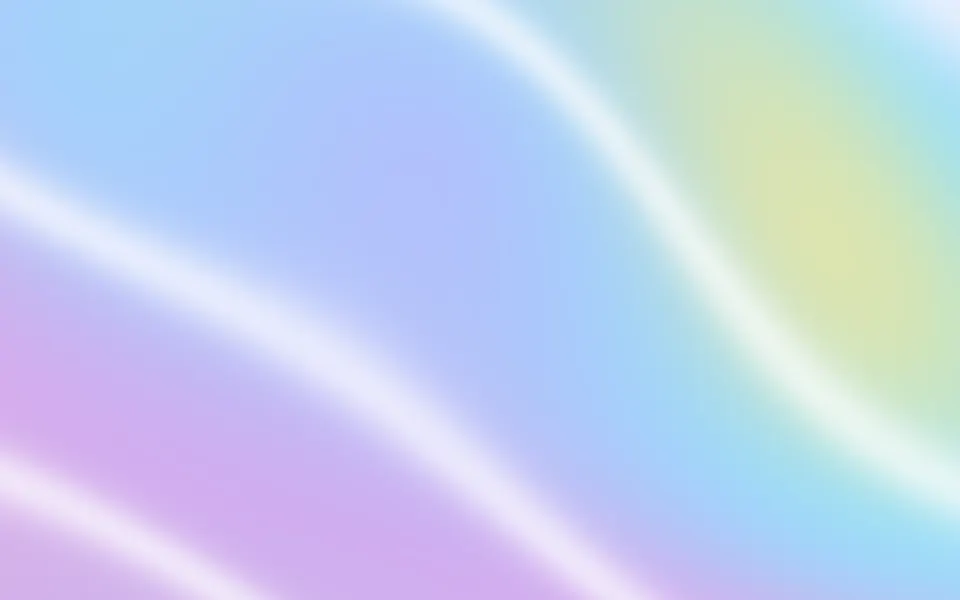
Chiffon Shader hangs three sheer layers of chiffon, blush, lilac and ivory, in front of a soft window light, and lets a slow breeze from the left billow them. Each layer is translucent: you see the room and the other layers through it, tinted by its color, and it turns denser and brighter where it folds back on itself, glowing most where the window shines through. Where layers overlap, their fine weave beats into a delicate moiré. A WGSL fragment shader on WebGPU draws the three sheets back to front, for about a millisecond of GPU time.
Use it as the hero of a bridal, beauty, wellness or fashion page: it's one of the few light shaders, made for a light page. For heavy, opaque satin, use Drapery Shader; for soft silk color in plain CSS, with no GPU, the Silk background. It runs only while it's on screen, holds a still frame with reduced motion, and shows a soft CSS gradient of the same layers in browsers without WebGPU.
Installation
Usage
import { ChiffonShader } from "@/components/ui/chiffon-shader";<ChiffonShader className="flex min-h-[32rem] items-center justify-center">
<h1 className="text-5xl font-semibold text-zinc-900">Made to be worn</h1>
</ChiffonShader>Chiffon Shader is a container: your content sits on top of the layers, in normal flow. It fills its own box, so give it a height or content. For a backdrop behind the whole page, render it empty with className="fixed inset-0 -z-10". It's light in both color schemes, so use dark text: near-black stays above 7:1 everywhere on it. With a dark backgroundColor, as in the night demo, switch to light text.
Demos
At night
backgroundColor="#120f18" turns the room dark. The window goes dark with it, and the layers glow only where light shines through them, brightest in their folds; intensity={1.4} turns that backlight up.
In a card
layers={2} keeps the blush and lilac layers and drops the ivory one, so a small box stays simple, and wind={0.6} slows the breeze. It keeps full quality: the weave is a few pixels fine, and at half resolution it fades out.
Performance
About 1 ms of GPU time a frame at 1280×720 on an M2 Max laptop, with three layers; fewer layers cost less. quality={0.5} renders a quarter of the pixels, but the weave then fades out, so the moiré goes with it. The animation stops when the shader scrolls out of view, and the browser pauses it in a hidden tab. Every shader on a page shares one GPU device and one frame loop, and vgpu (about 50 KB gzipped) loads only when the first one mounts.
Browser support
The shader needs WebGPU: Chrome and Edge, Safari 26 and later, and Firefox on Windows and macOS. Elsewhere, and until the first frame, the box shows soft CSS bands of the same colors on the room's color, so the layout never jumps. data-state on the root reads unsupported there, if you want to style around it. See Shader Canvas.
Accessibility
The layers are decoration: they're hidden from assistive tech and let every click through to your content. With reduced motion it draws one still frame and stops. Nothing flashes: the layers billow over seconds, and the weave fades out before it can shimmer. Dark text reads everywhere on the default look: near-black text stays above 9:1 on 99% of the frame and above 7:1 on the deepest fold; white text doesn't read on it.
FAQ
How are the layers drawn?
Each layer is a sheet that streams in from the left and fans out, displaced by ripples that travel with the wind and a slow simplex billow. Its opacity comes from how steeply it turns away from you, 1 − exp(−σ / |n.z|), so folds read as thicker cloth. The three sheets are blended back to front: each tints what's behind it and adds its own light, more where the window shines through.
Where does the moiré come from?
Each layer carries a weave: two fine cosine gratings, 4 CSS pixels apart, that ride on its folds. Where two layers overlap, their gratings sit at slightly different angles and spacings, and they beat into soft moiré bands, as real sheers do. moire sets how clearly the weave shows, from 0 (smooth) to 1. Where a grating would get finer than a pixel, it fades out instead of flickering.
What do layers, wind and intensity do?
layers shows 1, 2 or 3 sheets, front first. wind sets the breeze, from 0 (the layers hang still) to 2 (gusty), and intensity how brightly the window light shines through them, from 0 to 2.
Can I change the colors?
Yes: colors takes three CSS colors, front layer first, and backgroundColor sets the room behind them, var(--background) included. Pale tints keep the chiffon sheer; a dark room turns it into a night scene where only the backlit folds glow.
API Reference
ChiffonShader
data-slot="chiffon-shader"
backgroundColor?string
The room behind the layers. Any CSS colour. @default "#f4ece6".
- Default
"#f4ece6"
colors?[string, string, string]
The layers' tints, front to back. Any CSS colours. @default ["#f6c6cf", "#c9b8f0", "#fff3e6"].
- Default
DEFAULT_COLORS
fallback?string
What shows until the first frame and in browsers without WebGPU: a CSS
background value (gradients, sizes, a colour) that looks like the
shader. It can use the colour props' --shader-<field> variables.
intensity?number
How brightly the window light shines through the layers, from 0 to 2. @default 1.
- Default
1
interactive?boolean
Whether u.pointer follows the pointer. @default false.
layers?1 | 2 | 3
How many layers, from 1 to 3: the first colours, front first. @default 3.
- Type
1 | 2 | 3- Default
3
moire?number
How clearly the fine weave shows, and its moiré where layers overlap, from 0 to 1. @default 0.3.
- Default
0.3
paused?boolean
Holds the current frame. @default false.
quality?number
Render scale, from 0.25 to 1, of the screen's pixels (capped at 2×). @default 1.
speed?number
Animation speed: 1 is normal, 0 holds the frame. @default 1.
time?number
A fixed moment, in seconds: draws it and doesn't animate.
wind?number
How hard the breeze blows, from 0 (still) to 2 (gusty). @default 1.
- Default
1
render?ReactElement | ((props: object, state: object) => ReactElement)
Replace the host element or compose it with another component.
- Type
ReactElement | ((props: object, state: object) => ReactElement)
className?string
Forwarded to the part.
Related
- Pro
Drapery Shader
Flow & gradientsHeavy, opaque satin instead
- Pro
Glass Caustics Shader
Light & glassSunlit caustics on cream, another light hero
- Pro
Liquid Glass Shader
Light & glassClear glass drops on a light page
- Pro
Soap Bubbles 2D Shader
Water & landscapesLight, bouncy bubbles for a beauty brand
Waves Shader
Water & landscapesPastel waves on lavender, free
- Pro
Incense Shader
Ink, smoke & fireOne quiet motion for a wellness page