shadcn.io is an independent project built on shadcn/ui
A window of code the reader can type in, colored as they type, with a title and a copy button above it.
Use it when the code is meant to be changed: a snippet to tweak before copying, a config to fill in, the files of a Sandbox. To show code that only needs reading, use a Code Block, which costs less and streams. In Vue, the text box is a real textarea over a highlighted copy of its text, so typing, selecting, undo and input methods all work as in any text field.
Installation
The install also adds useHighlightedCode and the highlighter it runs on, the same one Code Block uses.
Anatomy

CodeEditor
├── CodeEditorHeader
│   ├── CodeEditorDots
│   ├── CodeEditorTitle
│   └── CodeEditorCopyButton
└── CodeEditorContent
CodeEditor holds the code and its language. CodeEditorContent is the text box and the colored layer under it; the header is optional.
Usage
<script setup lang="ts">
import {
  CodeEditor, CodeEditorContent, CodeEditorCopyButton, CodeEditorDots,
  CodeEditorHeader, CodeEditorTitle,
} from "@/components/ui/code-editor";
</script>
<CodeEditor defaultValue={code} language="tsx">
  <CodeEditorHeader>
    <CodeEditorDots />
    <CodeEditorTitle>Counter.tsx</CodeEditorTitle>
    <CodeEditorCopyButton />
  </CodeEditorHeader>
  <CodeEditorContent label="Counter.tsx" />
</CodeEditor>
Features
- It is a text field. Typing, selection, copy and paste, undo and redo are the browser's own, and the colors follow each keystroke.
- It indents like an editor. Tab inserts spaces to the next stop or indents every selected line, Shift+Tab outdents, and Enter keeps the indentation, one step deeper after an opening bracket.
- It highlights synchronously. The colors come from TanStack Highlight (opens in a new tab) through
useHighlightedCode: no WASM, nothing to load, and the first render is already colored. - It takes your theme. Token colors are CSS variables (
--th-keyword,--th-string…), GitHub light and dark by default, so a class on the editor can switch them. - It reads left to right. The code is always
dir="ltr"; the header follows the page direction.
Accessibility
- Tab
- Inserts spaces to the next tab stop, or indents every line in the selection.
- Shift+Tab
- Outdents the line, or every line in the selection.
- Enter
- Starts a new line at the same indentation.
- Escape
- Lets the next Tab move focus out of the editor instead of indenting.
- The text box is a
textareanamed bylabel, so screen readers read and edit the code as plain text. The colored layer is hidden from them. - A hidden hint tells screen reader users that Tab indents and how to leave: Escape, then Tab.
readOnlykeeps the code selectable and copyable, and drops the hint.- Line numbers are drawn by CSS, so they are never selected, copied or read out.
CodeEditorCopyButtonis labelled Copy code, and a polite live region announces Copied once the copy succeeds.
Demos
Languages
One editor and five files, switched by the buttons in the header: TSX, HTML, CSS, JSON and Python. The demo keeps each file's code, so an edit survives a switch, and passes the language with value. Use it when a reader picks a language or a file. The buttons say which is on with aria-pressed.
Line Numbers
A 33-line hook in an editor with a fixed height, so it scrolls. lineNumbers adds a gutter as wide as the last number needs. Turn them on when the code is long enough that someone will say "line 12". On a short snippet they only add noise.
Wrap
A Markdown changelog whose lines are sentences, with wrap and line numbers on. A wrapped line keeps one number. Wrap prose and long strings; leave code unwrapped, where a line break inside a statement misleads.
Typing
The code types itself out, as on a landing page, then a Replay button runs it again. The editor is controlled and readOnly: the demo grows value on a timer and never asks for input. Under reduced motion the whole file shows at once. Keep it for a hero; a reader who wants to edit needs the plain editor.
Theme
Three color themes for the same file: GitHub, the item's own colors, then Accent and Mono, made of the page's tokens. Each is a class on CodeEditor that sets the highlighter's --th-* variables, so only the colors change; the code and the caret stay put. Use tokens, as here, when the code should match the site rather than an editor.
FAQ
How is Code Editor editable without an editor library?
The text box is a plain textarea with transparent text and a visible caret. Under it, a highlighted copy of the same text is drawn with the same font, padding and line height, so each colored character sits exactly under the one you type. Selection, undo and input methods are the browser's own. It suits snippets and small files, not a full IDE.
Which languages does Code Editor highlight?
TSX, JSX, TypeScript, JavaScript, HTML, CSS, JSON, Markdown, Python, Bash, SQL, YAML and diffs, plus their short names such as ts, js, md, py and sh. Pass the name as language. Anything else shows as plain text and stays editable. To add a language, register its grammar in the highlighter core file the install adds.
How do I read or set the code in Vue?
For an editor the reader owns, pass defaultValue and read changes from onValueChange. To keep the code yourself, pass value and update it in onValueChange, as the Languages demo does. In Vue, bind :value and listen to @value-change. CodeEditorCopyButton always copies the current code.
Does Tab trap keyboard users inside the editor?
Tab indents while the editor has focus, as in any code editor. Press Escape, then Tab, and focus moves on to the next control; Shift+Tab after Escape moves back. A hidden hint on the text box says so to screen reader users. Set readOnly when the code is only for reading, and Tab moves focus as usual.
How do I change Code Editor's colors?
Token colors are the highlighter's CSS variables, such as --th-keyword and --th-string, in light and dark. Change them in your theme for every editor and code block, or set them with a class on one editor, as the Theme demo does with the page's tokens. The frame uses your card, muted and border tokens.
When should I use Code Block instead of Code Editor?
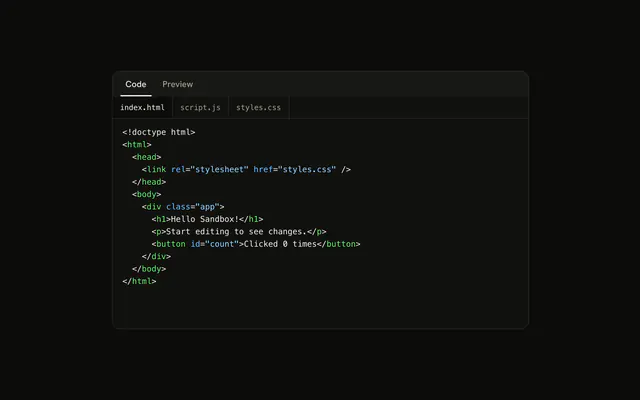
Use Code Block when the reader only reads or copies the code: it renders less, streams as text arrives and has line variants for diffs. Use Code Editor when the reader types. For HTML, CSS and JavaScript that should also run, use Sandbox, which puts this editor beside a live preview.
API Reference
CodeEditor
value?string
The code, controlled. Two-way with v-model.
defaultValue?string
The code when it starts, uncontrolled.
- Default
""
language?string
The language to highlight: tsx, typescript, javascript, jsx,
html, css, json, markdown, python, bash, sql, yaml,
diff, or an alias (ts, js, md, py, sh). Anything else is
plain text.
- Default
"plaintext"
class?string
Merged with the part's classes.
@value-change(value: string) → void
Called with the new code after each change.
- Parameters
value– string- Returns
void
CodeEditorHeader
<div> data-slot="code-editor-header"
class?string
Merged with the part's classes.
CodeEditorDots
<div> data-slot="code-editor-dots"
class?string
Merged with the part's classes.
CodeEditorTitle
<div> data-slot="code-editor-title"
class?string
Merged with the part's classes.
CodeEditorCopyButton
data-slot="code-editor-copy-button"
clickEffect?boolean
Apply a click effect to the button.
- Default
true
isLoading?boolean
Show a loading indicator.
- Default
false
pill?boolean
Fully rounded corners.
- Default
false
size?"default" | "icon" | "icon-lg" | "icon-md" | "icon-sm" | "icon-xl" | "icon-xs" | "lg" | "md" | "sm" | "xl" | "xs"
Ark default: md.
- Type
"default" | "icon" | "icon-lg" | "icon-md" | "icon-sm" | "icon-xl" | "icon-xs" | "lg" | "md" | "sm" | "xl" | "xs"- Default
"icon-xs"
variant?"default" | "destructive" | "ghost" | "link" | "outline" | "secondary"
Ark default: default.
- Type
"default" | "destructive" | "ghost" | "link" | "outline" | "secondary"- Default
"ghost"
asChild?boolean
Use the provided child element as the default rendered element, combining their props and behavior.
class?string
Merged with the part's classes.
data-copied?string
Present when copied is set.
CodeEditorContent
<div> data-slot="code-editor-content"
autoFocus?boolean
Focus the text box on mount.
label?string
The text box's accessible name, such as the file's name.
- Default
"Code"
lineNumbers?boolean
Number each line in a gutter. The numbers aren't part of the code.
- Default
false
placeholder?string
Shown while the code is empty.
readOnly?boolean
The code can be selected and copied, not changed.
- Default
false
tabSize?number
Spaces per indentation step: what Tab inserts and how wide a tab character is.
- Default
2
wrap?boolean
Wrap long lines instead of scrolling sideways.
- Default
false
class?string
Merged with the part's classes.
data-numbered?string
Present when lineNumbers is set.
data-wrap?string
Present when wrap is set.
--code-editor-digitsstring