shadcn.io is not affiliated with official shadcn/ui
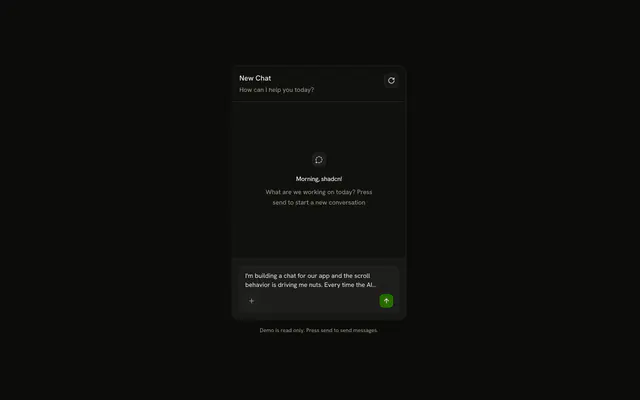
The person's message settles near the top of the thread, and the agent's reply streams in under it.
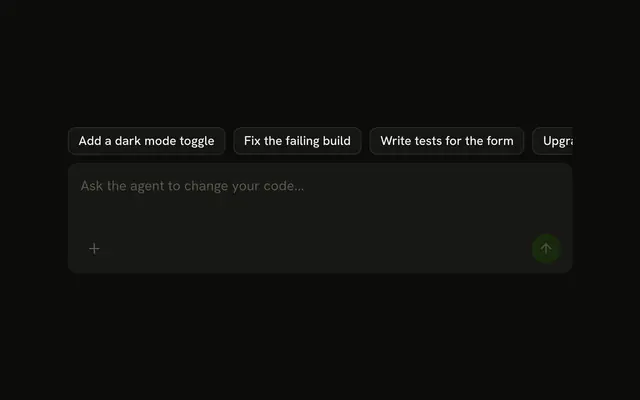
Use it for a conversation with an agent that thinks, runs commands and answers. Each turn is a Message inside a Message Scroller, the person's words sit in a Bubble, and the field is an Input Group. There is no Chat component to install in React: the thread is yours to edit. Keep the agent's reply out of a bubble. It is the page's text, with room for lists and code.
Installation
Chat is a pattern. The command adds the parts it's built from, Message Scroller, Message, Bubble and Input Group, and the code to copy is the demo's. The demo also shows the agent's steps in a Trace and its code in a Code Block: add those when your agent sends them.
Anatomy
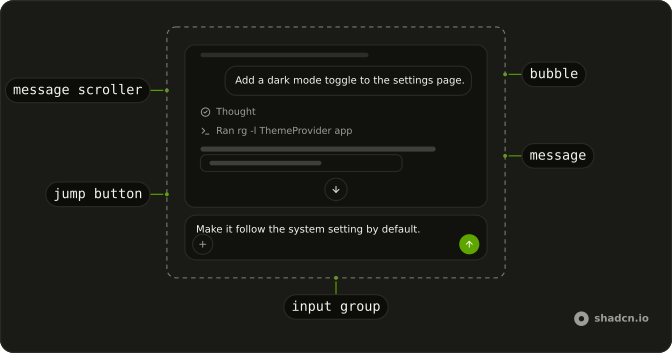
MessageScrollerProvider
├── MessageScroller
│   ├── MessageScrollerViewport
│   │   └── MessageScrollerContent
│   │       └── MessageScrollerItem (one per message)
│   │           └── Message
│   │               └── MessageContent
│   │                   └── Bubble (the person's) or the reply
│   └── MessageScrollerButton
└── form
    └── InputGroup
        ├── InputGroupTextarea
        └── InputGroupAddon
            └── InputGroupButton (send)
Usage
import { Bubble, BubbleContent } from "@/components/ui/bubble";
import { Message, MessageContent } from "@/components/ui/message";
import {
  MessageScroller, MessageScrollerButton, MessageScrollerContent,
  MessageScrollerItem, MessageScrollerProvider, MessageScrollerViewport,
} from "@/components/ui/message-scroller";
type Turn = { id: string; role: "assistant" | "user"; text: string };
export function Thread(props: { messages: Turn[] }) {
return (
<MessageScrollerProvider autoScroll>
<MessageScroller>
<MessageScrollerViewport>
<MessageScrollerContent>
{props.messages.map((message) => (
<MessageScrollerItem
key={message.id}
messageId={message.id}
scrollAnchor={message.role === "user"}
>
{message.role === "user" ? (
<Message align="end">
<MessageContent>
<Bubble align="end" variant="muted">
<BubbleContent>{message.text}</BubbleContent>
</Bubble>
</MessageContent>
</Message>
) : (
<Message>
<MessageContent>{message.text}</MessageContent>
</Message>
)}
</MessageScrollerItem>
))}
</MessageScrollerContent>
</MessageScrollerViewport>
<MessageScrollerButton />
</MessageScroller>
</MessageScrollerProvider>
);
}scrollAnchor goes on the person's turn, so a new question settles near the top and the reply streams into the room below it. autoScroll follows the reply while the reader stays at the live edge, and lets go as soon as they scroll away. The scroller fills its parent, so give the thread a fixed height. See Message Scroller for the rest of its props.
Turns
The person's turn is a muted Bubble on a Message with align="end". It rises into place as it's sent, with motion-reduce:animate-none for anyone who asked for less motion. The field offers the next message of the demo's script, so pressing send plays the conversation; anything else you type gets the next scripted reply all the same.
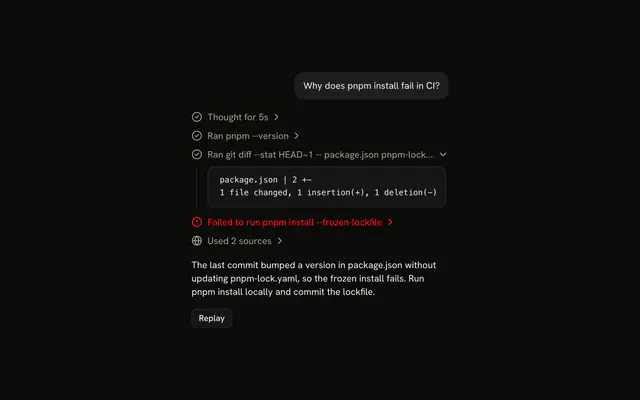
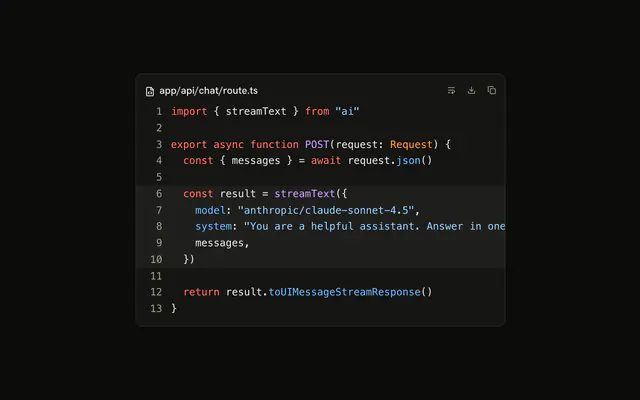
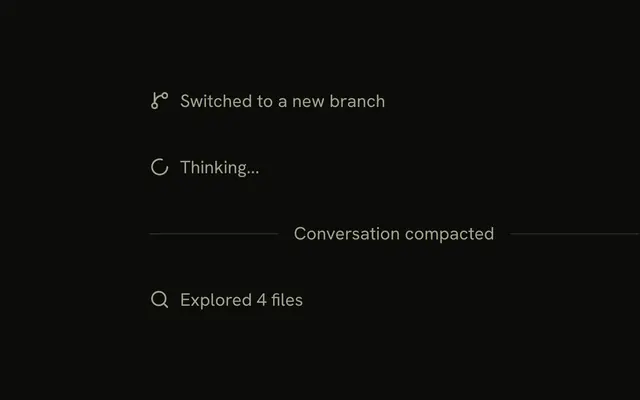
The agent's turn has no bubble, as in Message's Pattern demo. Its steps come first as a Trace: Thinking stays open while the reasoning streams and folds to Thought when it ends, and a command reads Running until its output arrives, then Ran, with the output in a small Code Block behind it. The reply follows as markdown, with fenced code in a Code Block whose copy button stays off until the fence closes.
While a reply streams, the content is aria-busy, send is off and so is Reset, and the field already holds the next message. Enter sends and Shift+Enter starts a new line.
AI SDK
The demo plays a script on timers. With the AI SDK, useChat gives you the same messages and status: anchor the person's messages, mark the thread busy while a reply streams, and render each part of the agent's message as the demo does (reasoning and tool calls in the Trace, text as markdown).
import { useChat } from "@ai-sdk/react";

export function Thread() {
  const { messages, status } = useChat();
  const busy = status === "submitted" || status === "streaming";

  return (
    <MessageScrollerContent aria-busy={busy}>
      {messages.map((message) => (
        <MessageScrollerItem
          key={message.id}
          messageId={message.id}
          scrollAnchor={message.role === "user"}
        >
          {/* the person's Bubble, or the agent's steps and reply */}
        </MessageScrollerItem>
      ))}
    </MessageScrollerContent>
  );
}
Send from the field with sendMessage({ text }), and turn send off while busy.
To build without a model, script the conversation with createChat from @shadcn/helpers. Each agent turn streams reasoning, a tool call and a reply. chat.next() fills the field with the next scripted message, and a string fallback replies once the script runs out.
import { createChat } from "@shadcn/helpers/ai-sdk";

const chat = createChat()
  .user("Add a dark mode toggle to the settings page.")
  .assistant(({ writer }) => {
    writer.reasoning("I need to know how themes are set up first.");
    writer
      .tool("runCommand", { input: { command: "rg -l ThemeProvider app" } })
      .output({ stdout: "app/layout.tsx" });
    writer.text("next-themes is already set up, so I added a ModeToggle.");
  });

const transport = chat.transport({
  fallback: "This demo only knows the scripted turns. Press reset to start over.",
});

const nextMessage = chat.next(messages);
Migrating from AI SDK Elements
If you added Conversation from AI SDK Elements (opens in a new tab), your project has a components/ai-elements/conversation.tsx wrapper. Paste this prompt into your coding agent to rebuild it on Message Scroller. Every export keeps its name and props, so the code that uses it keeps working.
Migrate components/ai-elements/conversation.tsx from AI SDK Elements to the shadcn.io Message Scroller component.

Keep every export, with the same name and props, so the code that imports it keeps working. Only change how each part renders.

1. Read https://kit.dev/ui/chat.md and build Chat the same way. If the project hasn't got Message Scroller, run the command in its Installation section.
2. Rebuild each part:
   - Conversation renders a MessageScrollerProvider with autoScroll and a MessageScroller, instead of StickToBottom.
   - ConversationContent renders a MessageScrollerViewport and a MessageScrollerContent.
   - ConversationScrollButton renders a MessageScrollerButton.
   - Keep ConversationEmptyState, ConversationDownload and messagesToMarkdown as they are.
3. In the code that renders the thread, wrap each message in a MessageScrollerItem with its messageId, and set scrollAnchor on the person's messages. This is the only change outside the file.
4. Remove use-stick-to-bottom from the dependencies.
5. Remove the imports the file no longer uses.
6. Run the type checker and fix any errors.
FAQ
What does installing Chat add in React?
Message Scroller, Message, Bubble and Input Group, the parts the thread is built from. Chat is a pattern, so no chat file lands in your ui folder: copy the demo's code into your own component. The demo also uses Trace, Code Block, Dropdown Menu, Empty and Tooltip, each a separate install. The command uses the shadcn CLI.
Why does a new question move to the top of the thread?
The person's message is the scroll anchor. Sending it scrolls the thread so the question sits near the top with a peek of the previous turn above it, and the reply streams into the room below. The reader starts the answer at its first line instead of chasing the bottom of the page.
Does the thread follow a long reply as it streams?
With autoScroll on the provider, yes, while the reader stays at the live edge. Once they scroll up to read, it stops moving and the jump button appears, and pressing it follows the reply again. The demo leaves autoScroll off: each reply fits in the room under its anchored question.
What happens to the field while the agent replies?
Send is off until the reply ends, so a second message can't land mid-answer, and Reset is off too. The thread's content is aria-busy, so a screen reader announces the finished turn rather than every word. With the AI SDK, the chat is busy while its status is submitted or streaming.
How do I render the agent's reply?
With your markdown renderer, such as Streamdown, and fenced code sent to a Code Block, so code in a reply gets line numbers and a copy button. The demo's small parser covers the paragraphs, lists, bold and code its script uses, and keeps the copy button off while a fence is still open.
Can the reader use the chat with the keyboard?
Yes. Enter sends and Shift+Enter starts a new line. The transcript is a focusable region named Messages that the arrow keys scroll, each Trace step opens with Enter or Space, and the jump button leaves the tab order while there's nothing below.
Is Chat available for Vue, Svelte and Solid?
Not yet. Message Scroller is built on @shadcn/react, which is React-only, so the thread can't port until the scroller does. Message, Bubble, Input Group, Trace and Code Block are already on every port.
Is this the same as AI SDK Elements' Conversation?
It does the same job on Message Scroller: Conversation was a StickToBottom wrapper that always pinned the bottom, and here the person's message anchors each turn and following the reply is the reader's choice. The Migrating from AI SDK Elements section has a prompt that rebuilds the old file and keeps its exports.
API Reference
Chat has no props of its own. The thread is a Message Scroller, each turn a Message, the person's words a Bubble and the field an Input Group. The agent's steps are a Trace, and the code in a reply a Code Block.