shadcn.io is not affiliated with official shadcn/ui
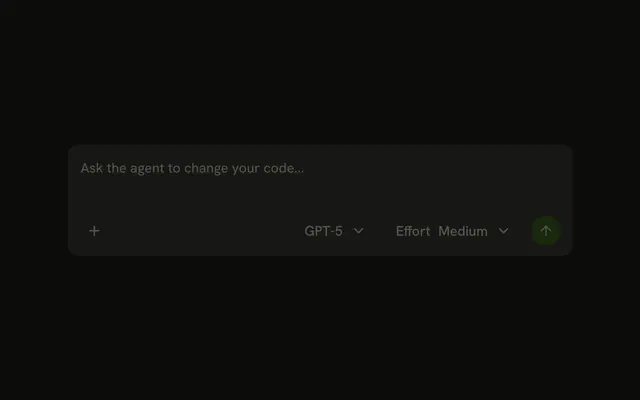
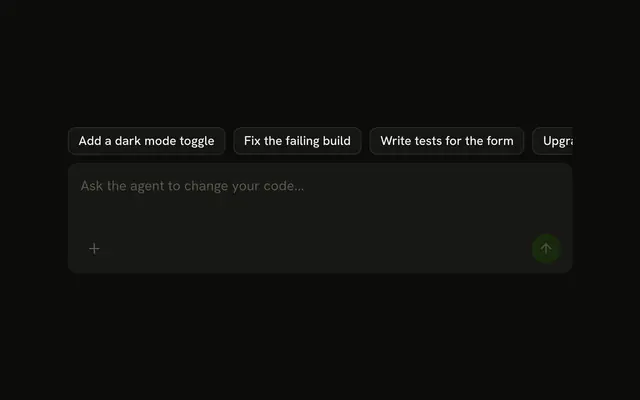
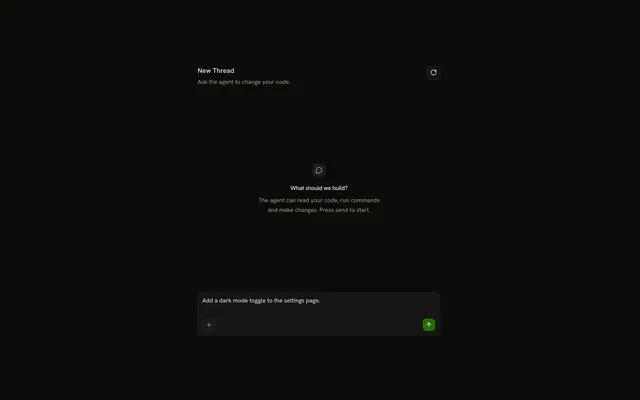
The reader types the message into a field at the bottom of the chat, attaches files with the plus button, and sends with Enter or the arrow.
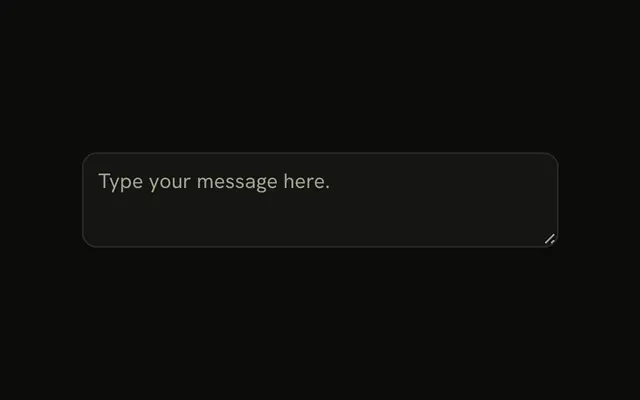
Use it as the composer of a Chat, or anywhere the reader writes to an agent. The field is an Input Group with a textarea, an attach button, the Model Selector menus and a send button, and the attached files show as Attachment chips above the text, so there is no Prompt Input component to install in React. Keep the field to one job: the message and what goes with it. Settings that outlive one message belong elsewhere.
Installation
Prompt Input is a pattern. The command adds the parts it's built from, Input Group, Attachment and Dropdown Menu, and the code to copy is the demo's.
Anatomy
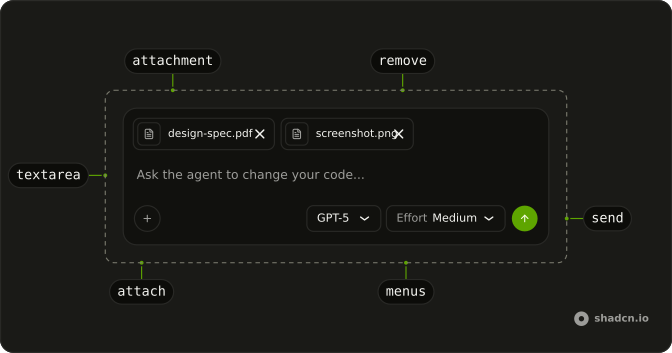
form
├── input (type="file", hidden)
└── InputGroup
    ├── InputGroupAddon (block-start)
    │   └── Attachment (one per file)
    │       ├── AttachmentMedia
    │       ├── AttachmentContent
    │       │   └── AttachmentTitle
    │       └── AttachmentActions
    │           └── AttachmentAction (remove)
    ├── InputGroupTextarea
    └── InputGroupAddon (block-end)
        ├── InputGroupButton (attach)
        ├── DropdownMenu (model, effort)
        └── InputGroupButton (send, then stop)
Usage
import { ArrowUpIcon, PlusIcon } from "lucide-react";
import { type FormEvent, useRef, useState } from "react";
import {
  InputGroup, InputGroupAddon, InputGroupButton, InputGroupTextarea,
} from "@/components/ui/input-group";
export function PromptInput(props: {
onSend: (text: string, files: FileList | null) => void;
}) {
const [text, setText] = useState("");
const inputRef = useRef<HTMLInputElement>(null);
const canSend = text.trim().length > 0;
const handleSubmit = (event: FormEvent<HTMLFormElement>) => {
event.preventDefault();
if (canSend) {
props.onSend(text.trim(), inputRef.current?.files ?? null);
setText("");
}
};
return (
<form onSubmit={handleSubmit}>
<input
className="sr-only"
multiple
ref={inputRef}
tabIndex={-1}
type="file"
/>
<InputGroup>
<InputGroupTextarea
aria-label="Message"
className="p-3"
onChange={(event) => setText(event.target.value)}
placeholder="Ask the agent to change your code..."
value={text}
/>
<InputGroupAddon align="block-end">
<InputGroupButton
aria-label="Attach files"
onClick={() => inputRef.current?.click()}
pill
size="icon-sm"
variant="outline"
>
<PlusIcon aria-hidden="true" />
</InputGroupButton>
<InputGroupButton
aria-label="Send"
className="ms-auto"
disabled={!canSend}
pill
size="icon-sm"
type="submit"
variant="default"
>
<ArrowUpIcon aria-hidden="true" />
</InputGroupButton>
</InputGroupAddon>
</InputGroup>
</form>
);
}
Attachments
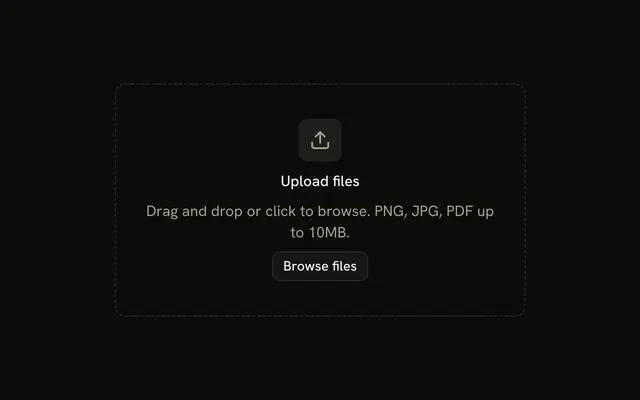
The attach button opens a hidden file input (sr-only, out of the tab order, since the button is what the reader reaches). Show each file the reader picks as an Attachment with size="sm" in an addon with align="block-start", above the text, with a button to remove it. Clear the input's value after reading its files, so picking the same file again still adds it, and clear the list when the message is sent.
Model and Effort
Put the two Model Selector menus in the block-end addon, between the attach and send buttons. Move ms-auto from the send button to the first menu trigger, so both menus sit next to the send button.
Keyboard
Enter sends the message. Shift+Enter adds a new line.
onKeyDown={(event) => {
  if (event.key === "Enter" && !event.shiftKey) {
    event.preventDefault();
    formRef.current?.requestSubmit();
  }
}}
requestSubmit goes through the form's submit handler, so Enter checks canSend exactly as the button does, and an empty message never goes out.
Stop
While the reply streams, the send button is a stop button: the same button, labelled Stop, with a square instead of the arrow, and no longer a submit button. Pressing it ends the reply; Enter does nothing until the reply is done. The demo streams for two seconds after each send.
AI SDK
Send the text and the FileList from the file input. While the chat's status is submitted or streaming, the send button calls stop().
import { useChat } from "@ai-sdk/react";

const { sendMessage, status, stop } = useChat();

sendMessage({ files, text });
The route streams the reply with result.toUIMessageStreamResponse().
Migrating from AI SDK Elements
If you added Prompt Input from AI SDK Elements (opens in a new tab), your project has a components/ai-elements/prompt-input.tsx wrapper. Paste this prompt into your coding agent to rebuild it on Input Group and Attachment. Every export keeps its name and props, so the code that uses it keeps working.
Migrate components/ai-elements/prompt-input.tsx from AI SDK Elements to the shadcn.io Input Group and Attachment components.

Keep every export, with the same name and props, so the code that imports it keeps working. Only change how each part renders.

1. Read https://kit.dev/ui/prompt-input.md and build Prompt Input the same way. If the project hasn't got Input Group, Attachment and Dropdown Menu, run the command in its Installation section.
2. Rebuild each part:
   - PromptInput already renders an Input Group. Keep the form, the provider, the attachment state and the command parts as they are.
   - PromptInputTextarea renders an InputGroupTextarea with className="p-3".
   - PromptInputActionMenuTrigger renders an InputGroupButton with size="icon-sm", variant="outline" and pill, with a PlusIcon.
   - PromptInputSubmit renders an InputGroupButton with size="icon-sm", variant="default" and pill, with an ArrowUpIcon while idle. Keep the spinner and stop icons for the other statuses.
   - PromptInputHeader shows each attachment as an Attachment with size="sm" and a button to remove it.
   - Keep PromptInputSelect, PromptInputHoverCard and the tab parts as they are.
3. Remove the imports the file no longer uses.
4. Run the type checker and fix any errors.
FAQ
What does installing Prompt Input add in React?
Input Group, Attachment and Dropdown Menu, the parts the field is built from. Prompt Input is a pattern, so no prompt-input file lands in your ui folder: copy the demo's code into your own composer and connect its submit handler to your chat. The command uses the shadcn CLI.
How do Enter and Shift+Enter work?
Enter sends, Shift+Enter starts a new line. The textarea's keydown handler stops Enter's new line and calls requestSubmit on the form, so the message goes through the same submit handler, and the same empty-message check, as the send button.
How do attachments get into the message?
The attach button clicks a hidden file input, and each picked file shows as an Attachment chip above the text, with a button to remove it. On send, pass the files with the text (with the AI SDK, the FileList as files) and clear the chips.
What does the send button do while a reply streams?
It becomes a stop button: the same button, labelled Stop, showing a square, and no longer a submit button. Pressing it stops the reply, and Enter does nothing until the reply is done, so a second message can't go out mid-reply.
Why is the send button disabled?
There is nothing to send: the text is empty or only spaces. The button turns on as soon as the field has text. Attachments alone don't turn it on in the demo; if your agent takes a file with no message, check the files too.
How is the field labelled for assistive tech?
The textarea has aria-label Message, since its placeholder isn't a label, and every icon button has its own aria-label: Attach files, Send or Stop, Remove and the file's name. The model and effort triggers name the setting and its value.
Is this the same as AI SDK Elements' Prompt Input?
It does the same job without a wrapper of its own: the field, the attach button, the attachment chips, the menus and the submit button are Input Group, Attachment and Dropdown Menu parts in your own form. The Migrating from AI SDK Elements section has a prompt that rebuilds the old file on these parts and keeps its exports.
API Reference
Prompt Input has no props of its own. The field, its addons, the textarea and the buttons are Input Group's, each attached file is an Attachment, and the model and effort menus are Dropdown Menus, as on Model Selector.