shadcn.io is not affiliated with official shadcn/ui
Isometric Blocks Shader draws an isometric landscape of solid cubes stacked into columns, like a city model or a 3D bar chart. Column heights follow drifting simplex noise and a slow travelling wave, so whole districts rise and settle, and each column climbs one block at a time with a short ease. Every block has three slate tones, a light top, a mid left face and a dark right face, with hairline edges between blocks; the tallest tops catch a violet accent. The middle left of the box stays a flat floor for your copy. A WGSL fragment shader on WebGPU walks the columns along each pixel's line of sight, front to back, and colors the first face it meets.
Use it behind a data, cloud, infrastructure or developer-tool hero, or anywhere a calm, structured motion suits the product. For flat isometric outlines in plain CSS that light up under the pointer, use the Boxes background; for a bump-mapped relief of pyramids, Pyramid Pattern Shader. It runs only while it's on screen, holds a still frame with reduced motion, and shows a CSS cube pattern in browsers without WebGPU.
Installation
Usage
import {
  IsometricBlocksShader,
} from "@/components/ui/isometric-blocks-shader";<IsometricBlocksShader className="flex min-h-[32rem] items-center px-12">
<h1 className="max-w-md text-5xl font-semibold text-slate-950">
Ship faster
</h1>
</IsometricBlocksShader>Isometric Blocks Shader is a container: your content sits on top of the blocks, in normal flow. It fills its own box, so give it a height or content. For a backdrop behind the whole page, render it empty with className="fixed inset-0 -z-10". The floor is light in both color schemes, and it stays flat in an oval around a point left of center, about a third of the way across: put dark text there, aligned left or centered on that point.
Demos
In a card
maxHeight={2} keeps every column to two blocks, a quiet texture for a small surface, and cellSize={20} shrinks the blocks so more fit.
Interactive
With interactive, the columns under the pointer rise up to three blocks and catch the accent, here accentColor="#ff7a45". cellSize={36} and maxHeight={4} make bigger, lower blocks that are easy to push around. When the pointer leaves, the risen columns settle back down, one block at a time.
Performance
About 1 ms of GPU time a frame at 1280×720 on an M2 Max laptop at the default maxHeight; slower GPUs take several times longer. Taller columns cost a little more, because each pixel checks up to two columns per block of height. It keeps full quality: the hairline edges blur at half resolution. The animation stops when the shader scrolls out of view, and the browser pauses it in a hidden tab. Every shader on a page shares one GPU device and one frame loop, and vgpu (about 50 KB gzipped) loads only when the first one mounts.
Browser support
The shader needs WebGPU: Chrome and Edge, Safari 26 and later, and Firefox on Windows and macOS. Elsewhere, and until the first frame, the box shows a CSS pattern of slate cubes with a clear patch of floor in the middle left, so the layout never jumps. data-state on the root reads unsupported there, if you want to style around it. See Shader Canvas.
Accessibility
The blocks are decoration: they're hidden from assistive tech and let every click through to your content. With interactive, the rise follows a mouse or pen, never touch. With reduced motion it draws one still frame and stops. Nothing flashes: each column climbs or drops one block at a time with a short ease, and a wave takes about 12 seconds to roll past. Dark text reads on the calm floor: across the renders, black text keeps above 7.9:1 contrast on 90% of the middle left, and 16:1 on the bare floor; the dark faces of nearby blocks drop to about 2:1, so keep long text inside the calm area or on a panel.
FAQ
How is it drawn without 3D geometry?
In an isometric view, every pixel looks along the same diagonal, so the only columns that can cover it lie on one line across the grid. The shader walks those columns from front to back and stops at the first top or side face the line of sight meets. There are no meshes and no depth buffer: just that walk, per pixel, each frame.
Where do I put my headline?
In the middle left: the columns flatten in an oval around a point a third of the way across, so the floor there stays clear. Left-aligned copy with some padding, or a centered block on that point, sits on bare floor. Dark text reads best.
How do I make it calmer or taller?
intensity sets how tall the waves roll, from 0 (a flat floor) to 2 (most columns at full height). maxHeight caps a column at 1 to 12 blocks. For a quiet texture, try maxHeight={2}.
Can I change the colors?
Yes: topColor is the tops and the floor, sideColor the left faces, shadeColor the right faces and accentColor the tops of the tallest columns. They take any CSS color, var(--primary) included, and follow a theme switch. Keep the top lightest and the shade darkest, or the light reads as coming from below.
Will it slow my page down?
It costs about 1 ms of GPU time a frame at 1280×720 on a laptop at the default height, and the CPU only sets a few numbers each frame. It stops when it's off screen. On a slow GPU, lower maxHeight first; quality={0.75} saves more, at the cost of softer hairlines.
How is it different from the Boxes background?
The Boxes background is a flat isometric grid of outlines in CSS whose cells light up as the pointer crosses them. Isometric Blocks Shader draws solid, shaded cubes stacked into columns that rise and fall on their own, on the GPU.
API Reference
IsometricBlocksShader
data-slot="isometric-blocks-shader"
accentColor?string
The tops of the tallest columns. Any CSS colour. @default "#7c5cff".
- Default
"#7c5cff"
cellSize?number
Half the width of one block's top, in CSS pixels, from 14 to 64. @default 28.
- Default
28
fallback?string
What shows until the first frame and in browsers without WebGPU: a CSS
background value (gradients, sizes, a colour) that looks like the
shader. It can use the colour props' --shader-<field> variables.
intensity?number
How tall the waves roll, from 0 (a flat floor) to 2 (most columns at full height). @default 1.
- Default
1
interactive?boolean
Whether the columns under the pointer rise. @default false.
- Default
false
maxHeight?number
The most blocks in a column, from 1 to 12. @default 6.
- Default
6
paused?boolean
Holds the current frame. @default false.
quality?number
Render scale, from 0.25 to 1, of the screen's pixels (capped at 2×). @default 1.
shadeColor?string
The right-hand faces, in shadow. Any CSS colour. @default "#3b4660".
- Default
"#3b4660"
sideColor?string
The left-hand faces. Any CSS colour. @default "#7a8aa6".
- Default
"#7a8aa6"
speed?number
Animation speed: 1 is normal, 0 holds the frame. @default 1.
time?number
A fixed moment, in seconds: draws it and doesn't animate.
topColor?string
The tops of the blocks and the floor. Any CSS colour. @default "#dbe4f0".
- Default
"#dbe4f0"
render?ReactElement | ((props: object, state: object) => ReactElement)
Replace the host element or compose it with another component.
- Type
ReactElement | ((props: object, state: object) => ReactElement)
className?string
Forwarded to the part.
Related
- Pro
Voxel Flyover Shader
Water & landscapesBlocks as a world to fly over
- Pro
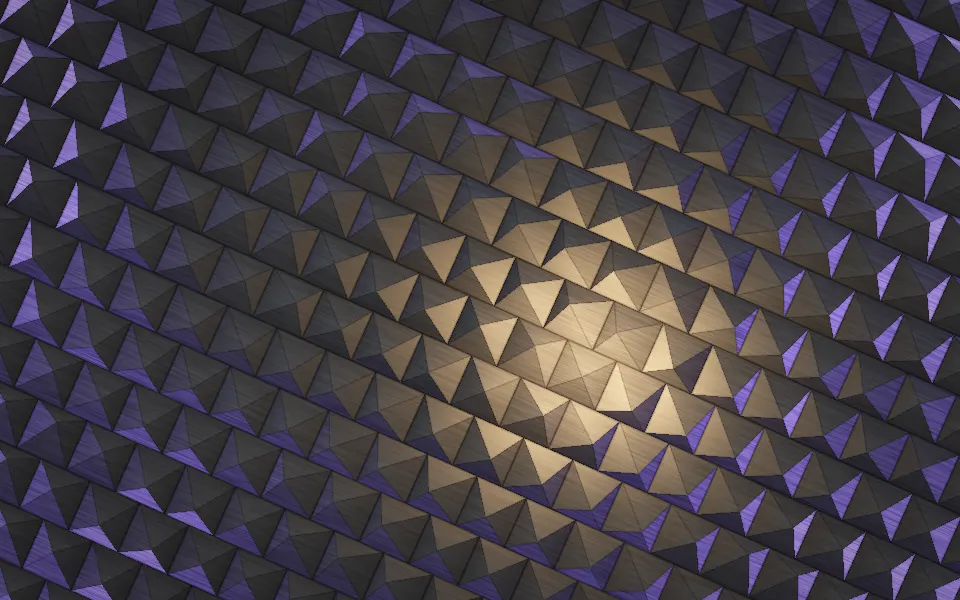
Pyramid Pattern Shader
Patterns & tilingsA bump-mapped relief of pyramids
- Pro
Extruded Mobius Spiral Shader
Tunnels & 3DBlocks wound into spirals, in rainbow
- Pro
City Lights Shader
Water & landscapesA real city at night, from above
Ridgeline Shader
Digital & retroA data plot as a landscape, free
- Pro
Abstract Mod Shader
Tunnels & 3DSlabs in a vortex, for a developer tool