shadcn.io is not affiliated with official shadcn/ui
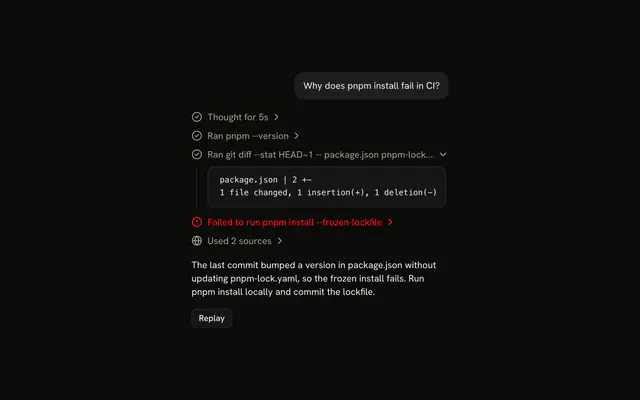
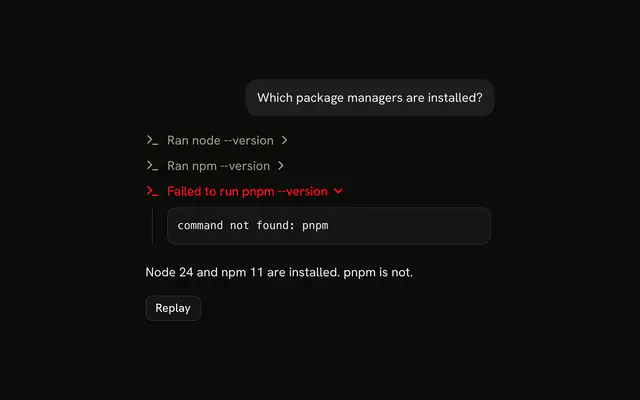
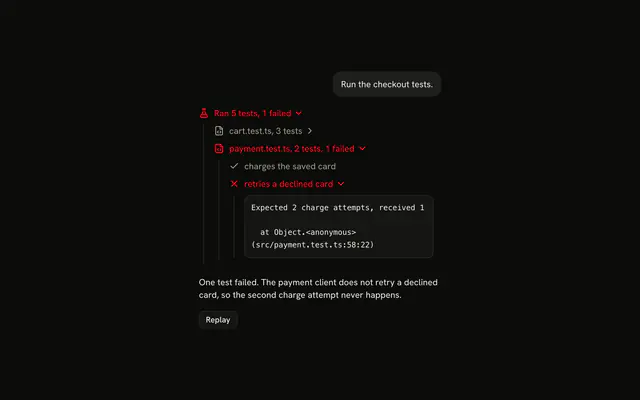
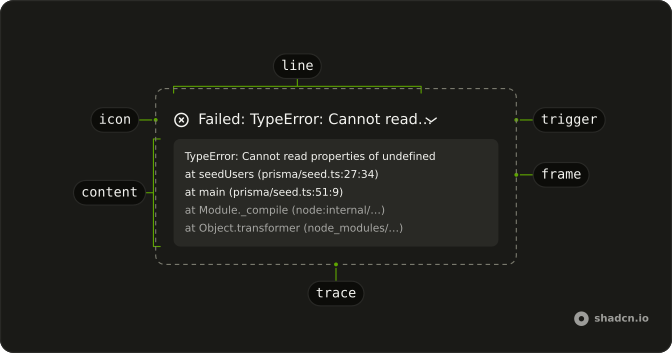
A tool call that threw shows up as one line in the error color, "Failed: TypeError: …", and opens on the stack frames, your own first.
Use it when a call fails with a stack the reader can act on: the frames say which file and line to open. The line is a Trace line with status="error" that expands into the frames, so there is no Stack Trace component to install in Vue. The title truncates, so repeat the full error at the top of the content, keep the frames from node_modules muted so yours stand out, and only send a stack from a development server: it shows your server's file paths.
Installation
Stack Trace is a pattern. The command adds the parts it's built from, Trace and Code Block for the output of the calls around it, and the code to copy is the demo's.
Anatomy
Trace
└── TraceCollapsible
    ├── TraceCollapsibleTrigger
    │   └── TraceLine (status="error")
    │       ├── TraceIcon
    │       └── TraceTitle (Failed: the error)
    └── TraceCollapsibleContent
        └── div (bg-muted, font-mono)
            ├── p (the full error)
            └── ol (one li per frame)
Usage
<script setup lang="ts">
import { CircleXIcon } from "lucide-vue-next";
import {
  Trace, TraceCollapsible, TraceCollapsibleContent,
  TraceCollapsibleTrigger, TraceIcon, TraceLine, TraceTitle,
} from "@/components/ui/trace";
</script>
export function StackTrace(props: { stack: string }) {
  const [error, ...frames] = props.stack.split("\n").map((line) => line.trim());

  return (
    <Trace>
      <TraceCollapsible>
        <TraceCollapsibleTrigger>
          <TraceLine status="error">
            <TraceIcon>
              <CircleXIcon aria-hidden="true" />
            </TraceIcon>
            <TraceTitle>Failed: {error}</TraceTitle>
          </TraceLine>
        </TraceCollapsibleTrigger>
        <TraceCollapsibleContent>
          <div className="flex flex-col gap-2 rounded-md bg-muted p-3 font-mono text-xs">
            <p className="text-destructive">{error}</p>
            <ol>
              {frames.map((frame) => (
                <li
                  className={
                    frame.includes("node_modules") ? undefined : "text-foreground"
                  }
                  key={frame}
                >
                  {frame}
                </li>
              ))}
            </ol>
          </div>
        </TraceCollapsibleContent>
      </TraceCollapsible>
    </Trace>
  );
}The first line of a stack is the error and each line after it a frame. A frame from node_modules keeps the content's muted color, and yours take text-foreground, so the frames you can fix stand out.
Demos
Frame Links
Your own frames as links that open the file at the line, and the framework's folded into a line of their own, so the frames you can fix come first. Each of your frames is a TraceLine in an anchor, "formatInvoice in app/lib/billing.ts:42"; point the link at your editor or your repository's file view.
AI SDK
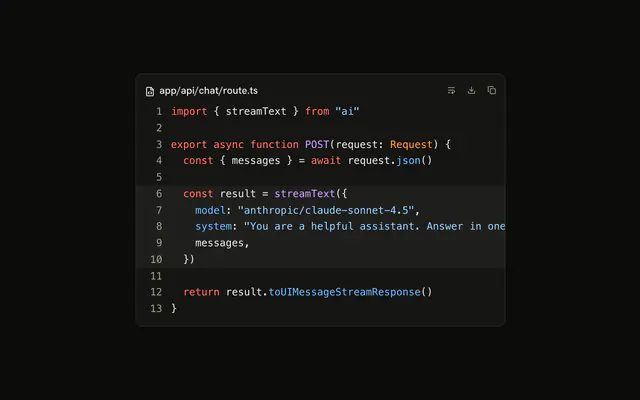
When a tool throws, its part is output-error. By default errorText is only the error's message, with no frames. Return error.stack from onError in toUIMessageStreamResponse to send them.
return result.toUIMessageStreamResponse({
  onError: (error) =>
    error instanceof Error ? (error.stack ?? error.message) : String(error),
});
A stack shows file paths from your server, so only send it in development. On the client, split errorText into the error and its frames.
const [error, ...frames] = part.errorText
  .split("\n")
  .map((line) => line.trim());
The messages come from Chat in @ai-sdk/vue, with the same parts.
Map the other tool states as in Tool.
Migrating from AI SDK Elements
AI SDK Elements is for React. In Vue, start from the demos above: an error Trace line that opens on the frames is all there is to Stack Trace.
FAQ
What does installing Stack Trace add in Vue?
Trace and Code Block: the error line and its frames are Trace's, and the output of the calls that ran before it is a Code Block. Stack Trace is a pattern, so no stack-trace file lands in your ui folder: copy the demo's code into your own component and its frame parser with it. The command uses the shadcn-vue CLI.
How do I split a stack into the error and its frames?
Split it on new lines and trim each: the first line is the error, "TypeError: …", and every line after it a frame, "at seedUsers (prisma/seed.ts:27:34)". The demos read each frame's function, file and line with one regular expression, and keep the raw line for a frame it doesn't match.
Why are some frames muted or folded away?
They come from code the reader can't fix: node_modules, or Node's own node: modules. Muting them, or folding them into a line of their own as the Frame Links demo does, puts the frames from your code first, where the bug usually is.
Should the stack start open?
When it is the call that ended the reply, yes: the main demo opens the failed call as soon as it fails, with defaultOpen, so the error and your frames are in view. Leave the framework frames closed, since they are rarely the place to look.
Is it safe to send a stack to the browser?
Only in development. A stack holds your server's file paths and function names. With the AI SDK, errorText is just the message unless you return error.stack from onError; do that behind a check for the development environment.
Can the reader open the frames with the keyboard?
Yes. The error line is a button: Tab reaches it, and Enter or Space opens or closes it. Inside, each of your frames is a link, so Tab moves through them in order, and Enter follows one.
Is this the same as AI SDK Elements' Stack Trace?
It does the same job without a wrapper: Stack Trace was a card with its own header, copy button and frame list, and here it is an error Trace line that opens on the frames. The Migrating from AI SDK Elements section has a prompt that rebuilds the old file on Trace and keeps its exports.
API Reference
Stack Trace has no props of its own. The failed call is a Trace collapsible with status="error" on its TraceLine, and the output of the calls that ran is a Code Block.