shadcn.io is an independent project built on shadcn/ui
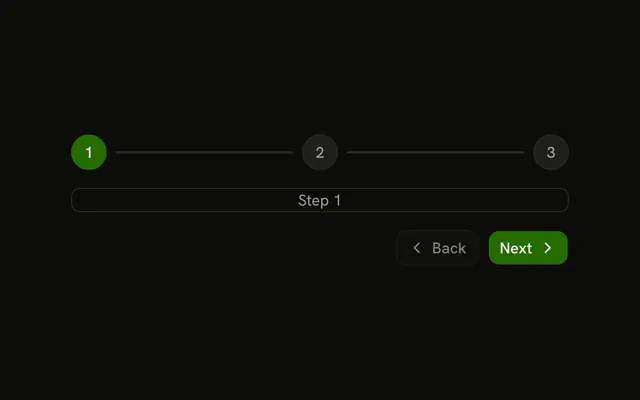
useStep stores a step number that starts at 1, with helpers that move between 1 and the maximum you give it.
goToNextStep and goToPrevStep stop at the ends. setStep throws if you jump outside 1 through that maximum. Keep the number in useSessionStorage when the same tab should reopen on that step. In React this is ordinary state, so the server and the client both start on step 1.
Installation
Anatomy

Usage
import { useStep } from "@/hooks/use-step";const [currentStep, { goToNextStep, goToPrevStep, reset }] = useStep(4);The second value also includes setStep, canGoToNextStep, and canGoToPrevStep. Steps start at 1.
FAQ
Are the steps zero based or one based?
Steps are one based. The first step is 1 and the last step is the maximum you passed, which matches a label like step 2 of 4. The hook starts at 1. canGoToPrevStep is false on step 1. canGoToNextStep is false when the next number would pass the maximum. A step of 0 is not a valid place to be.
How do I block next until a form is valid?
The hook does not look at your fields. Check the form in the click handler, and call goToNextStep only when that check passes. If you call it while canGoToNextStep is false, the step stays put. If the flag is true, the call always moves forward by one. Keep validation next to the button, not inside the hook.
How do I keep the step after a refresh?
The hook state goes back to 1 whenever the component mounts again. Store the number somewhere that survives the reload, read it after mount, and pass it to setStep. Session storage fits a single tab. The stored number still has to be from 1 through the maximum, because setStep throws when the number is outside that range.
What happens if setStep gets a bad number?
setStep throws an error whose message is Step not valid. The number must be greater than or equal to 1 and less than or equal to the maximum. Anything outside that throws, and the current step stays as it was because setState never runs. Catch the error if a typed number should show a message instead of throwing during the click.
Can the maximum change while I am on a step?
Yes. The maximum is an argument, so the next render uses the new one. Next is disabled when the current step plus one would pass that maximum. The hook does not move you backward on its own. Previous still subtracts one, even when you are already above the new maximum, until you land in range or you call reset.
Does setStep accept an updater function?
Yes. Pass a number, or a function that receives the current step and returns the next one. That function is called with the step from this render, not with a later update batched inside the setter. The result still has to sit between 1 and the maximum. A legal value is stored. An illegal one throws and leaves the step unchanged.
API Reference
Parameters
maxStepnumber
The number of steps: the last step's number.
Returns
[0] currentStepnumber
The current step, starting at 1.
[1] actionsUseStepActions
Whether it can move, and the functions that move it.
actions.canGoToNextStepboolean
Whether there's a step after this one.
actions.canGoToPrevStepboolean
Whether there's a step before this one.
actions.goToNextStep() => void
Goes to the next step; does nothing on the last.
- Type
() => void
actions.goToPrevStep() => void
Goes to the previous step; does nothing on the first.
- Type
() => void
actions.reset() => void
Goes back to step 1.
- Type
() => void
actions.setStepReact.Dispatch<React.SetStateAction<number>>
Goes to a step, or one computed from the current. Throws outside 1 to maxStep.
- Type
React.Dispatch<React.SetStateAction<number>>