shadcn.io is an independent project built on shadcn/ui
Inside one area, a dot takes the place of the pointer and a label eases after it.
Use it where the pointer is part of the show: a hero, a canvas, a portfolio piece. Everywhere else the system cursor stays, and inside the area it comes back on touch screens, with reduced motion and in forced colors. In Vue the parts are plain elements and CSS, so Ark UI adds nothing to it.
Installation
Anatomy

AnimatedCursor
├── Cursor
└── CursorFollow
Usage
<script setup lang="ts">
import {
  AnimatedCursor, Cursor, CursorFollow,
} from "@/components/ui/animated-cursor";
</script>
<template>
  <AnimatedCursor class="flex h-64 items-center justify-center rounded-xl border">
    <p>Hover over this area</p>
    <Cursor />
    <CursorFollow>
      <span class="rounded-full bg-primary px-2.5 py-1 text-primary-foreground text-xs">
        Following
      </span>
    </CursorFollow>
  </AnimatedCursor>
</template>
Demos
Interactive
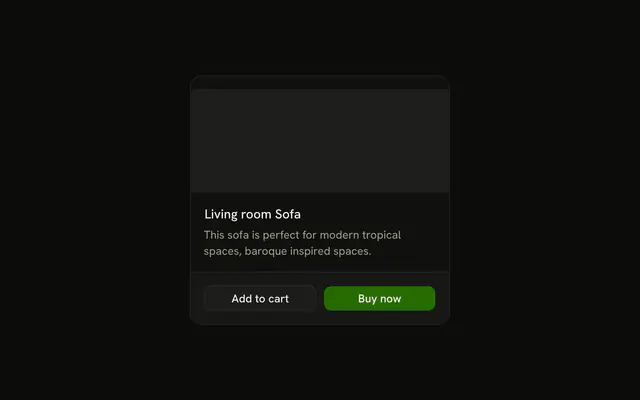
A small dot with a ring trailing it, over a card with three buttons and a link. When the pointer reaches a control, the area sets data-interactive: the dot shrinks away and the ring grows and fills. Style that state with group-data-interactive/animated-cursor: on either part. Links, buttons, form fields and elements with a control role count, and data-cursor="interactive" adds your own.
Label
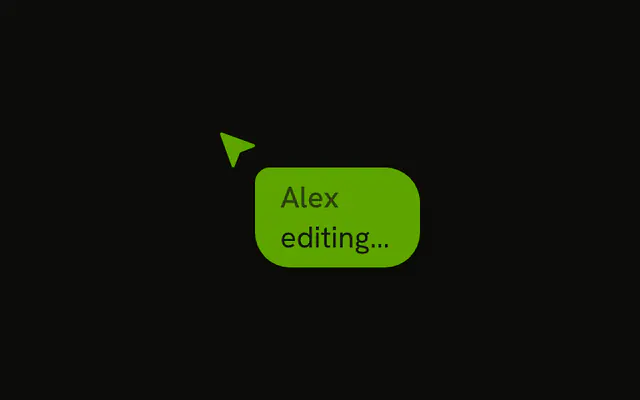
A pointer arrow with a name tag, as in a shared editor. Cursor centres its children on the pointer, so the arrow is shifted by half its size to put its tip on the hotspot. CursorFollow holds the tag at the default bottom-end. Use this to show who is pointing, not to replace a tooltip.
Align
Four areas, one align each: top, end, bottom and start. The corners (top-start, bottom-end…) and center work the same way, and sideOffset sets the gap. start and end follow the reading direction, so in a right-to-left page end sits to the left of the pointer.
Trail
A soft glow drifts after the pointer and settles where it stops. It's a CursorFollow centred on the pointer with a blur and a longer --cursor-follow-duration. Keep the text above it, as the demo does, so the glow never washes out what people read.
FAQ
Does Animated Cursor hide the cursor on the whole page?
No. The system cursor is hidden only while the pointer is inside AnimatedCursor, and only for a mouse or a pen. Outside the area, on touch screens, with reduced motion and in forced colors, the system cursor stays and the custom parts don't render. Wrap the one section that should have it.
What is the difference between Cursor and CursorFollow?
Cursor sits exactly on the pointer, centred, with no lag. CursorFollow trails behind: each move restarts an ease-out transition from where it is, so it catches up and settles when the pointer stops. Use Cursor for the dot or arrow and CursorFollow for a label, a ring or a glow.
How do I change the cursor over buttons in Vue?
While the pointer is over a link, a button, a form field or an element with a control role, the area carries data-interactive. Style it with the group-data-interactive/animated-cursor variant on Cursor or CursorFollow. Cursor grows by half by default. Add data-cursor="interactive" to any other element that should count.
How do I make the trail looser or tighter?
Set --cursor-follow-duration on CursorFollow, for example a class of [--cursor-follow-duration:900ms] for a slow drift or 200ms for a tight one. The default is 400ms. align puts it on a side of the pointer, and sideOffset sets the gap in pixels, 16 by default.
Is a custom cursor accessible?
The parts are decorative: they are hidden from assistive tech and never take a click. Keyboard focus and focus rings are untouched, because the area changes nothing but the pointer. People who ask for reduced motion or use forced colors keep their own cursor, which is also where a large or high-contrast system cursor lives.
Does moving the pointer re-render the component?
No. A move writes two CSS variables on the area, --animated-cursor-x and --animated-cursor-y, and the parts read them through translate. State changes only when the pointer enters or leaves the area, or crosses onto an interactive element, so a page full of content stays still while the cursor moves.
API Reference
AnimatedCursor
<div> data-slot="animated-cursor"
class?string
Merged with the part's classes.
data-active?string
Present after onPointerEnter.
data-interactive?string
Present after onPointerLeave.
Cursor
<div> data-slot="cursor-layer"
class?string
Merged with the part's classes.
CursorFollow
<div> data-slot="cursor-layer"
align?CursorAlign
Where it sits around the pointer. start and end follow the
reading direction.
- Default
"bottom-end"
sideOffset?number
The gap between the pointer and the follower's nearest edge, in pixels.
- Default
16
class?string
Merged with the part's classes.
data-align?string
Mirrors align.
--cursor-follow-sxstring--cursor-follow-systring