shadcn.io is an independent project built on shadcn/ui
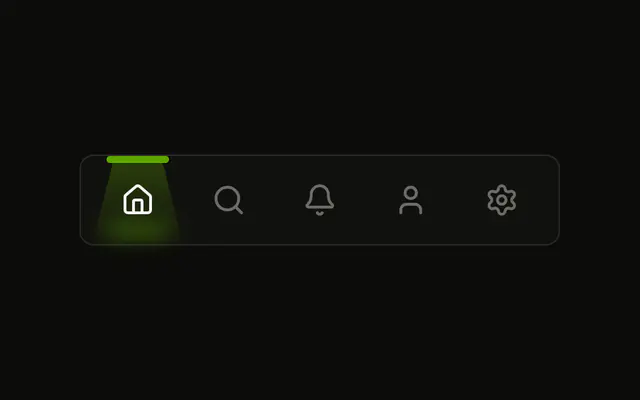
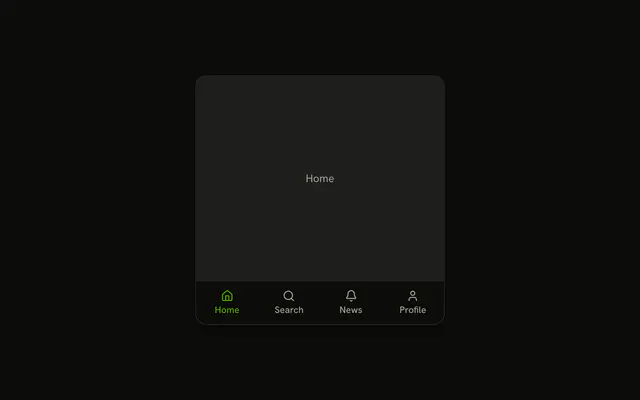
A bar of icons with their names, the chosen one in the primary color with a line sliding under it.
Use it for three to eight sections of an app, at the bottom of a phone screen or across the top of a panel. If each choice shows its own panel in place, use Tabs. In Solid, Ark UI measures the chosen label and moves the underline to it with CSS.
Installation
Anatomy

MenuDock
└── MenuDockItem
    ├── MenuDockIcon
    └── MenuDockLabel
Usage
import { HouseIcon, SettingsIcon } from "lucide-solid";
import {
  MenuDock, MenuDockIcon, MenuDockItem, MenuDockLabel,
} from "@/components/ui/menu-dock";<MenuDock aria-label="Main" defaultValue="home">
<MenuDockItem value="home">
<MenuDockIcon>
<HouseIcon />
</MenuDockIcon>
<MenuDockLabel>Home</MenuDockLabel>
</MenuDockItem>
<MenuDockItem value="settings">
<MenuDockIcon>
<SettingsIcon />
</MenuDockIcon>
<MenuDockLabel>Settings</MenuDockLabel>
</MenuDockItem>
</MenuDock>The chosen item carries data-active and aria-current, so data-active: styles it and screen readers hear which one is current.
Demos
Sizes
The same five sections at size sm, default and lg. Size sets the padding, the icons (16, 20 and 24 pixels) and the label's text together, and the underline follows the label at every size. Pick sm for a toolbar inside a panel and lg for a phone's bottom bar, where fingers need the room.
Vertical
orientation set to vertical stacks the items into a rail, and the marker becomes a bar on the leading edge of the chosen item, on the right in right-to-left layouts. The arrow keys follow: up and down move between items. Use it for a narrow side rail next to the page's content.
Icon Only
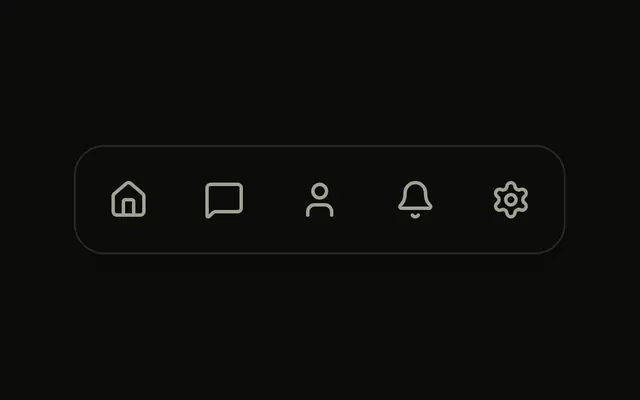
Without MenuDockLabel the marker is a short bar under the icon. Each item then needs aria-label, because the icon is hidden from assistive tech. Keep icon-only docks to icons people already know: home, search, profile.
Controlled
The chosen section lives in state and goes back in as value, with onValueChange receiving the next item's value, so the line under the dock always names the same section the dock shows. Control it when something else on the page reads the choice, or when a route decides it.
FAQ
How do I control the Menu Dock's chosen item in Solid?
Give each MenuDockItem a value, then keep the chosen one in state and pass it back, or set defaultValue and let the dock keep it. The Controlled demo stores it and writes it back.
Pass value, and onValueChange receives the chosen item's value as a string.
Where does the Menu Dock's underline go?
Under the chosen item's label, as wide as the label. Without a label it's a short bar under the icon, and in a vertical dock it's a bar on the item's leading edge. The dock measures the item after each change and on every resize, so a label that changes length or a font that loads late keeps the line in place.
How do I turn off the Menu Dock's hop?
Set animated to false on MenuDock. A chosen icon then stays put, and the underline still slides. With reduced motion neither moves: the icon doesn't hop and the underline jumps to its place.
Can Menu Dock items be links in Solid?
Yes. Render MenuDockItem as the link instead of nesting a link inside it, the same swap other items here make, and give each link its route as value. Set the dock's value from the current route so the underline follows navigation, including the back button.
API Reference
MenuDock
value?string
The active item, when controlled.
defaultValue?string
The item active at first, when uncontrolled.
onValueChange?(value: string) → void
Called with an item's value when it's chosen.
- Parameters
value– string- Returns
void
animated?boolean
Whether a chosen item's icon hops once.
- Default
true
orientation?"horizontal" | "vertical"
A row (an underline marks the active item) or a column (a bar on its leading edge).
- Type
"horizontal" | "vertical"- Default
"horizontal"
size?"sm" | "default" | "lg"
The items' padding, icons and text.
- Type
"sm" | "default" | "lg"- Default
"default"
class?string
Merged with the part's classes.
--menu-dock-heightstring--menu-dock-widthstring--menu-dock-xstring
The indicator's place, set from the active item.
--menu-dock-ystringMenuDockItem
<button> data-slot="menu-dock-item"
valuestring
The item's value: the dock's value when it's active.
asChild?(props: ParentProps) => JSX.Element
Render your own element: a function that gets the part's props to spread on it.
- Type
(props: ParentProps) => JSX.Element
class?string
Merged with the part's classes.
data-active?string
Present when active is true.
data-value?string
Mirrors value.
--menu-dock-xstring
The indicator's place, set from the active item.
MenuDockIcon
<span> data-slot="menu-dock-icon"
class?string
Merged with the part's classes.
--menu-dock-xstring
The indicator's place, set from the active item.
MenuDockLabel
<span> data-slot="menu-dock-label"
class?string
Merged with the part's classes.
--menu-dock-xstring
The indicator's place, set from the active item.