shadcn.io is an independent project built on shadcn/ui
A list with a Pinned section on top. Press an item's pin and it glides up into that section; press it again and it glides back to its place, while the rows in between make room.
Use it for bookmarks, files, channels or saved views, where a few items matter more than the rest. Every row moves with a FLIP animation, measured before and after the change and drawn with CSS transforms, so Ark UI in Svelte only renders the list. For a list people reorder by hand, use drag and drop instead.
Installation
Anatomy

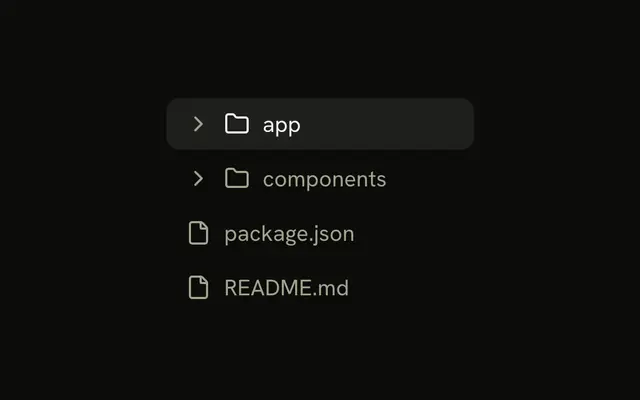
PinList
├── group (Pinned)
│   ├── label
│   └── item
│       ├── icon
│       ├── name, info
│       └── pin
└── group (All items)
Usage
<script lang="ts">
import { BellIcon, MailIcon } from "lucide-svelte";
import { PinList, type PinListItem } from "@/components/ui/pin-list";
</script>
const items: PinListItem[] = [
  { icon: BellIcon, id: "notifications", info: "Manage alerts", name: "Notifications" },
  { icon: MailIcon, id: "messages", info: "Check inbox", name: "Messages" },
];

<PinList defaultValue={["notifications"]} items={items} />;
Demos
Controlled
value and onValueChange hold the pinned ids outside the list, so a count above it stays in step and an Unpin all button clears them at once. Every row that moves glides, not only the one you pressed. The ids are in the order they were pinned, which is the order the Pinned section shows them.
Labels
Bookmarks without icons, with the sections called Favorites and Everything else through labels. A section with nothing in it is left out, label and all. The rows keep the same height without an icon, so the list still lines up.
FAQ
What data does Pin List take?
An items array, each with an id and a name, plus an optional info line and an icon component (a Lucide icon, not an element). Which ones are pinned is a separate list of ids: defaultValue for uncontrolled use, value and onValueChange to control it. The unpinned items keep the order of items.
Where does an item go when I pin or unpin it?
A pinned item goes to the end of the Pinned section, so that section reads in the order things were pinned. An unpinned item goes back to its own place among the rest, as items lists it. Each section has a label, and a section with no items is left out.
How does the animation work without a motion library?
Before the change, the list measures every row and label. After the DOM updates, each one that moved is put back where it was with a translate and then let go, so its CSS transition carries it to the new place. A row caught mid-move starts from where it is. The moved row passes over the others.
Can I pin items with the keyboard in Svelte?
Yes. Each row has a pin button named after the item, with aria-pressed for its state, so Tab reaches it and Enter or Space toggles it. Focus follows the item to its new section, and a polite status line says what was pinned or unpinned. The whole row is the button's target for a mouse.
What happens with reduced motion?
The rows move straight to their new places with no glide, and the labels appear without a fade. Pinning, focus and the status line work the same way.
How do I change the look of the rows with Ark UI?
Edit the pin-list file under components/ui. The row is the item slot, with a muted background that the pin's focus ring outlines. Pinned rows carry data-pinned, and the pin button fills in the primary colour. The glide's speed and curve are the transition classes on the row.
API Reference
PinList
<div> data-slot="pin-list"
value?string[]
The pinned ids, in the order they show (controlled).
defaultValue?string[]
The ids pinned at first, when uncontrolled, in the order they show.
- Default
[]
onValueChange?(value: string[]) → void
Called with the pinned ids when an item is pinned or unpinned.
- Parameters
value– string[]- Returns
void
itemsPinListItem[]
Every item, in the order the unpinned ones show.
labels?object
The section labels.
- Type
{ pinned?: string; unpinned?: string }
class?string
Merged with the part's classes.
data-flip?stringdata-group?string
Mirrors id.
data-pinned?stringdata-value?string
Mirrors id.