shadcn.io is not affiliated with official shadcn/ui
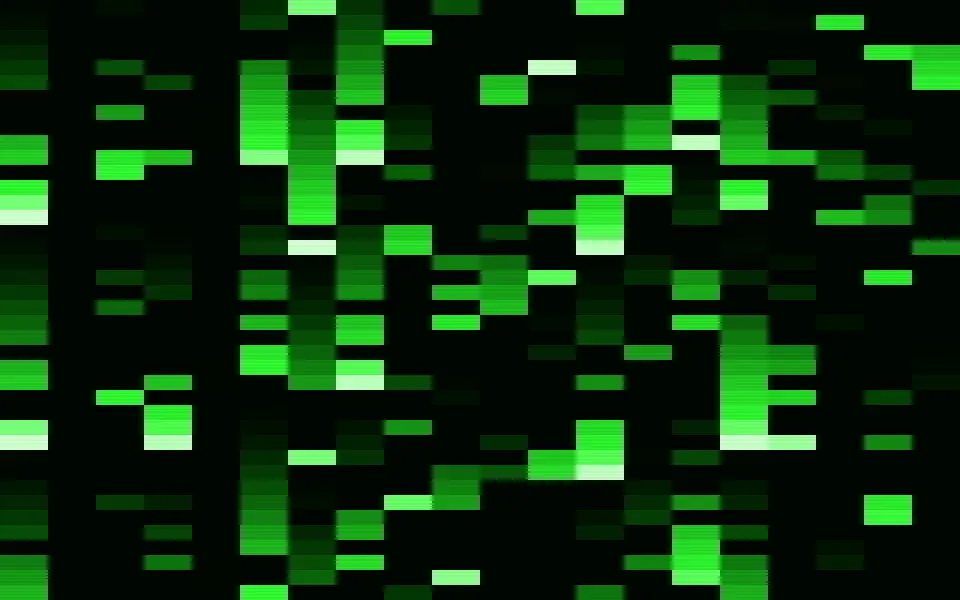
Binary Shader fills its box with a grid of tiny binary digits, 6 by 9 CSS pixels each, slanted like italic type and glowing green on black. Every digit flips between 0 and 1 on its own clock, every one to two seconds, and flares a little as it does; meanwhile slow banks of brightness drift across the grid, so some regions read bright and busy and others fade to a faint texture. Each digit is drawn from distance functions by a WGSL fragment shader on WebGPU, with a crisp stroke and a soft halo, for about 0.2 ms of GPU time a frame.
Use it behind a developer tool's hero, a data or API product, or a security page. For falling rain of green blocks instead, use Matrix Shader; for a corrupted signal, Glitch Shader. It runs only while it's on screen, holds a still frame with reduced motion, and shows a CSS grid of dots in the same color in browsers without WebGPU.
Installation
Usage
import { BinaryShader } from "@/components/ui/binary-shader";<BinaryShader className="flex min-h-[32rem] items-center justify-center">
<div className="rounded-xl bg-black/60 px-8 py-6">
<h1 className="font-mono text-5xl font-semibold text-white">Ship faster</h1>
</div>
</BinaryShader>Binary Shader is a container: your content sits on top of the digits, in normal flow. It fills its own box, so give it a height or content. For a backdrop behind the whole page, render it empty with className="fixed inset-0 -z-10". Most of the box is near-black, but the brightest digits reach pale green, and fine strokes behind letters make text hard to read: put copy on a panel, like the bg-black/60 one above, which keeps white text above 6.5:1 everywhere.
Demos
Readable digits
cellSize={12} doubles the cells, to 12 by 18 CSS pixels, so the 0s and 1s read as digits rather than texture, and color="#38bdf8" turns them sky blue. The brightest strokes whiten a little toward their cores in any color.
In a card
cellSize={8} gives a small card fewer, larger digits, and glow={0.7} tightens the halos so each digit stays crisp. Cell sizes are CSS pixels, so the grid looks the same on any screen.
Performance
About 0.2 ms of GPU time a frame at 1280×720 on an M2 Max laptop, the default cellSize included; slower GPUs take several times longer. Each pixel only looks at its own cell, so the cost doesn't depend on cellSize. Keep the default quality: the digits are a few pixels tall and blur at half resolution. The animation stops when the shader scrolls out of view, and the browser pauses it in a hidden tab. Every shader on a page shares one GPU device and one frame loop, and vgpu (about 50 KB gzipped) loads only when the first one mounts.
Browser support
The shader needs WebGPU: Chrome and Edge, Safari 26 and later, and Firefox on Windows and macOS. Elsewhere, and until the first frame, the box shows a CSS grid of green dots with two soft glows, so the layout never jumps. data-state on the root reads unsupported there, if you want to style around it. See Shader Canvas.
Accessibility
The digits are decoration: they're hidden from assistive tech and let every click through to your content. With reduced motion it draws one still frame and stops. Nothing flashes: each digit flips at most once a second, at its own moment, and the brightness banks drift over many seconds; measured over 10 seconds with WCAG's area test, and even in 32-pixel patches, it never flashes. speed is capped at 2, so a digit never flips more than twice a second. White text needs a dark panel, as in Usage.
FAQ
What are the shapes?
Binary digits: a slanted oval ring for 0 and a slanted stroke with a flag for 1, each drawn as a crisp line with a soft glow. At the default 6-pixel cells they're tiny and read as a fine green texture from a distance; from cellSize={10} up they read plainly as digits.
How often do the digits flip?
Each one every one to two seconds, on its own clock, so the grid churns gently and no two digits flip together. A digit flares a little as it flips and settles over a fraction of a second. speed scales it, up to a cap of 2; speed={0} or paused holds the frame.
Can I change the cell size and color?
Yes: cellSize is a cell's width in CSS pixels, from 4 to 32, and cells are half again as tall. color takes any CSS color, var(--primary) included, and follows a theme switch. Keep it bright: the digits glow on black, and a dark color disappears. glow sets how far the halos spread, from 0.5 to 1.5.
Is it safe for people sensitive to flicker?
Yes. Digits flip one at a time, at most once a second, and nothing large changes at once, so it stays far below WCAG's three-flashes limit; speed is capped at 2 to keep it there. With reduced motion it draws one still frame.
Credits
Inspired by a binary shader (opens in a new tab) by Xor on Shadertoy: a grid of glowing 0 and 1 glyphs, each flipping on its own phase. This is a new shader written from that idea, not a port: its own digit shapes, flip clocks, drifting brightness and colors. The segment and ellipse distance functions follow Inigo Quilez's articles (MIT).
API Reference
BinaryShader
data-slot="binary-shader"
cellSize?number
A cell's width in CSS pixels, from 4 to 32; cells are half again as tall. @default 6.
- Default
6
color?string
The digits' colour. Any CSS colour. @default "#00ff66".
- Default
"#00ff66"
fallback?string
What shows until the first frame and in browsers without WebGPU: a CSS
background value (gradients, sizes, a colour) that looks like the
shader. It can use the colour props' --shader-<field> variables.
glow?number
How far each digit's glow spreads, from 0.5 (crisp) to 1.5 (hazy). @default 1.
- Default
1
interactive?boolean
Whether u.pointer follows the pointer. @default false.
paused?boolean
Holds the current frame. @default false.
quality?number
Render scale, from 0.25 to 1, of the screen's pixels (capped at 2×). @default 1.
speed?number
Animation speed, capped at 2 so no digit flips more than twice a second. @default 1.
- Default
1
time?number
A fixed moment, in seconds: draws it and doesn't animate.
render?ReactElement | ((props: object, state: object) => ReactElement)
Replace the host element or compose it with another component.
- Type
ReactElement | ((props: object, state: object) => ReactElement)
className?string
Forwarded to the part.
Related
Matrix Shader
Digital & retroFalling rain of green blocks, free
Glitch Shader
Digital & retroA corrupted signal, free
- Pro
ASCII Sculpture Shader
Digital & retroA lit form in glyphs, for a devtool
Dither Gradient Shader
Digital & retro1-bit texture on warm paper, free
- Pro
Breathing Dots Shader
GeometryA dot grid that breathes
- Pro
Mobius Sierpinski Shader
Tunnels & 3DA mathematical pattern for AI or data