shadcn.io is not affiliated with official shadcn/ui
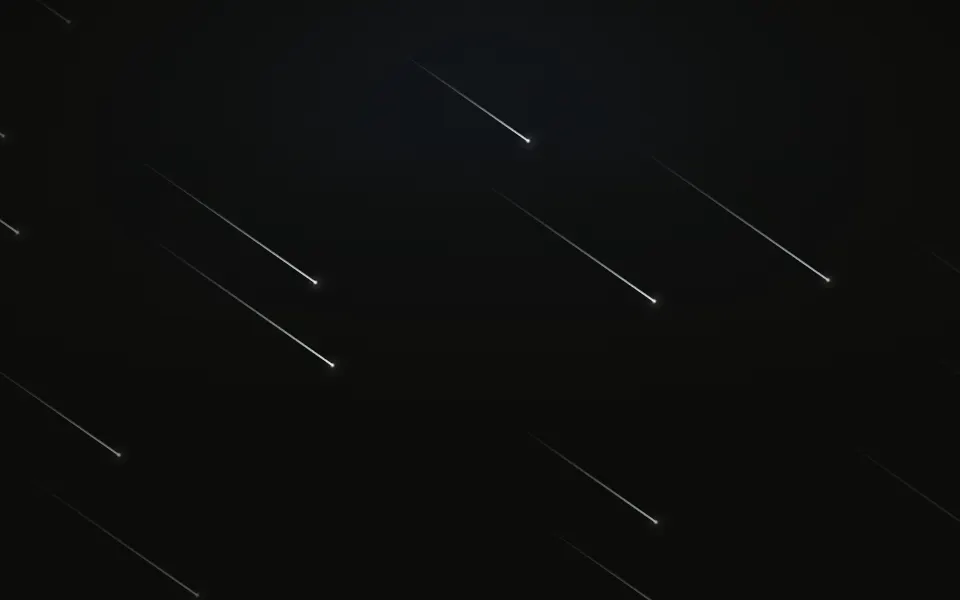
Shooting Stars keeps a still sky of stars behind your content, in three sizes with a few twinkling, and bright streaks shoot across it from the four edges along their diagonals, one or two always crossing: a glowing head with a tail that tapers to a point and fades behind it. Each streak is a span on a CSS keyframe loop: it crosses in a fifth of a shared 12-second cycle, waits hidden, then comes back from a new place on its edge, and the streaks' places in the cycle are spread evenly, so the sky is never empty for long. No script runs in the browser.
Use it for a quiet night sky with constant, gentle motion. For a steady shower at one angle use Meteors; for flying through stars, Starfield; for a sky that twinkles, Sparkles.
Installation
Usage
import { ShootingStars } from "@/components/ui/shooting-stars";<ShootingStars className="min-h-[420px]">
<h1>Make a wish</h1>
</ShootingStars>Shooting Stars is a container: put your content inside and the sky sits behind it. It fills the box you give it, so set its height (min-h-[420px]), or className="fixed inset-0 -z-10" to cover the whole page.
Demos
Brand streaks
The streaks keep a violet head and a cyan tail, deeper on a light page and paler at night, since the colour is what sets them apart. starColor and trailColor take any CSS colour: theme variables such as var(--primary) follow your theme.
Meteor storm
count is how many streaks take turns over the cycle, and speed makes them shoot faster and more often. sky={false} drops the still stars, here over a gradient of your own, in a panel that stays dark in both themes (the dark class with bg-background).
Accessibility
The sky is decoration: the whole layer is hidden from screen readers and ignores the pointer, and your content inside reads as usual. With reduced motion the streaks stay hidden and only the still sky remains. A crossing streak is not a flash: it fades in and out over two seconds, and count stops at 24; the twinkling stars are a pixel or two and fade slowly. Text in the foreground colour stays clear over the sky in light and dark.
FAQ
Where do the stars come from?
Each streak owns one edge, top, right, bottom or left in turn, and shoots along that edge's diagonal: down and to the right from the top, down and to the left from the right, and so on round the box. On every pass it sets off from a new place along its edge.
How often does one appear?
All the streaks share one 12-second cycle, spread evenly across it, and each crosses in a fifth of it, so with the default nine there are always one or two in flight. Raise count for a busier sky; speed shortens the cycle, so they come round sooner and cross faster.
What does a streak look like?
A bright head with a soft glow and a tail that tapers to a point behind it, fading in toward the head. It fades in at its edge and out over the last 30% of the way, like a real shooting star burning out.
How do I change the colours?
starColor is the head and trailColor the tail, violet and cyan by default and any CSS colour. starWidth sets the tail's length in pixels (12% of the box's diagonal by default) and starHeight its thickness at the head.
API Reference
ShootingStars
<div> data-slot="shooting-stars"
count?number
How many streaks take turns, from 0 to 24, spread evenly over a 12 s cycle: at the default, one or two are always crossing. They come from the four edges in turn.
- Default
9
sky?boolean
Whether a still field of stars, a few of them twinkling, fills the sky behind the streaks. @default true.
- Default
true
speed?number
How often and how fast the streaks shoot, as a multiplier: at 1 each crosses in about 2 seconds and comes back every 12.
- Default
1
starColor?string
The streaks' heads, any CSS colour. @default a violet, paler in dark mode.
starHeight?number
A streak's thickness at its head, in pixels. @default 2.
starWidth?number
A streak's tail, in pixels. @default 12% of the box's diagonal.
trailColor?string
The streaks' tails, any CSS colour. @default a cyan, paler in dark mode.
render?ReactElement | ((props: object, state: object) => ReactElement)
Replace the host element or compose it with another component.
- Type
ReactElement | ((props: object, state: object) => ReactElement)
className?string
Merged with the part's classes.
--shooting-stars-headstring
The streaks' heads (violet).
--shooting-stars-speedstring
How often and how fast they shoot (1).
--shooting-stars-trailstring
The streaks' tails (cyan).
Related
- Pro

Meteors Background
SpaceA steady parallel shower

Starfield Background
SpaceFlying through stars
- Pro
Sparkles Background
ParticlesA twinkling sky
- Pro

Galaxy Background
SpaceThe Milky Way drifting across the sky
- Pro

Fireworks Background
ParticlesBursts instead of streaks
- Pro
Nebula Background
SpaceColour clouds behind the stars