shadcn.io is not affiliated with official shadcn/ui
Glowing jellyfish drift through deep water while marine snow sinks around them. Each jellyfish is a few layered gradients, a white core in a coloured bell with a wide soft halo, trailing fine tendrils that sway as it swims: the bell contracts as it rises and relaxes as it sinks. Every third is far away, smaller, fainter and softer, half lost in the haze, so the water has depth; the marine snow sinks in two layers, fine specks far off and bigger flakes nearer. The water is a scene in both themes: a mid-ocean blue on a light page, light enough for dark text, and near-black navy at night, each lighter toward the surface with a haze of light from above. CSS keyframes the install adds to your stylesheet move everything with transforms and opacity, and positions come from each jellyfish's index, so the server and the browser draw the same scene. There's no canvas and no script.
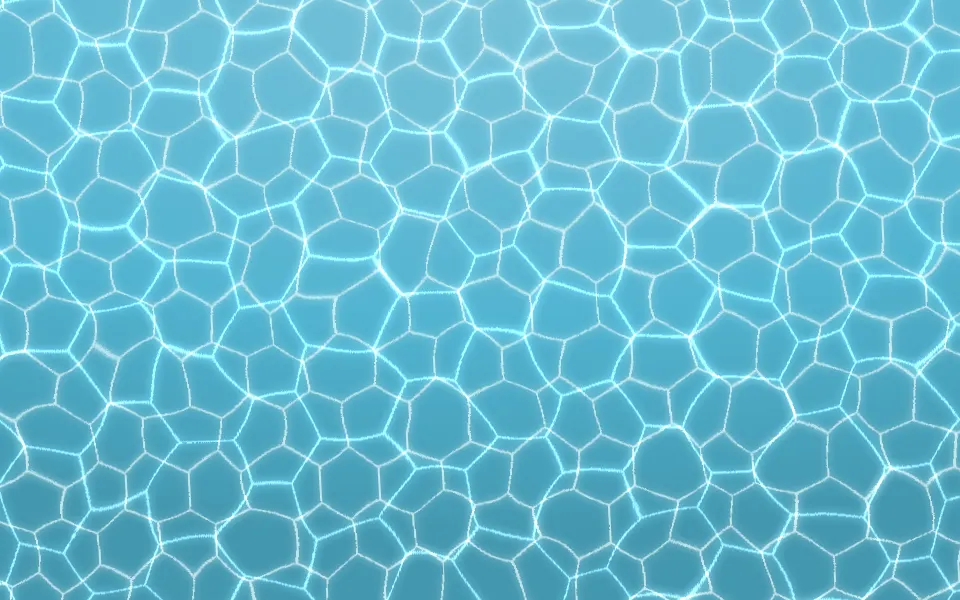
Use it behind a hero or a launch page that should feel calm rather than loud. For the sunlit shallows, use Underwater; for a net of light on water, Caustics; for glowing drifters in night air, Fireflies; for soft out-of-focus lights, Bokeh.
Installation
Usage
import { DeepSea } from "@/components/ui/deep-sea";<DeepSea className="flex min-h-[480px] items-center justify-center">
<h1 className="text-5xl font-semibold">Into the deep</h1>
</DeepSea>Deep Sea is a container: whatever you put inside sits on top of the water, in normal flow. It fills its own box, so give it a height or content. For a backdrop behind the whole page, render it empty with className="fixed inset-0 -z-10".
Demos
Sparse
count={2} leaves two jellyfish in a lot of open water, and plankton={300} thickens the marine snow around them. Each jellyfish takes one of the box's columns, so a few never bunch up.
Colors
colors takes any CSS colours, and each jellyfish takes the next one; here amber, magenta and coral. waterColor sets the water, which lightens toward the top and deepens toward the bottom, and the dark class keeps the section dark in both colour schemes.
Accessibility
The scene is decoration: it's hidden from assistive tech and lets every click through to your content. With reduced motion everything stops on the opening frame, so the same jellyfish stay where they started and the marine snow holds still. Nothing flashes.
Put copy over it in your foreground colour (text-foreground). On a light page the water stays light enough for dark text, above 4.5:1 down to its deepest edge; at night light text reads on the navy. A jellyfish's bright core can drift behind a headline: keep count low behind body text, or set the text in a band of its own.
FAQ
How do I show more or fewer jellyfish?
Use count, 7 by default and at most 12; every third is a far one. Two or three feel vast and empty; ten or more look like a bloom. Each one's place, size, colour and pace come from its index.
How does the depth work?
Far jellyfish are under half the size of near ones, glow at under half the strength, lose their white-hot core and drift more slowly, so they read as lost in the haze. The marine snow sinks in two layers: fine, faint specks far off and bigger, brighter flakes nearer, each at its own pace.
Can I change the glow colours?
Yes. Pass any CSS colours to colors, and each jellyfish takes the next one in turn; a single colour gives a one-species tank. You can also set --deep-sea-color-1 to --deep-sea-color-4 in your CSS.
Does it work in light mode?
Yes. The water is a scene in both themes: a mid-ocean blue on a light page, still light enough for dark text, and near-black navy in dark mode. Pass waterColor for your own water, and add the dark class to keep a section dark in both.
What is the plankton prop?
How much marine snow sinks through the water, in specks per 1280×720 box: 220 by default, up to 400, and 0 hides it. It's split between the far and the near layer.
How do I slow it down?
speed divides every duration: 0.5 is half as fast, 2 twice as fast. At 1 a near jellyfish takes two to five minutes to cross the box and makes a swim stroke every 8 to 16 seconds.
Is it heavy?
No. There's no canvas and no script: the jellyfish are spans with gradients and the marine snow two small repeating tiles, all moved by transforms and opacity, which the browser composites without repainting. Each loop holds many strokes and sways, so the page's script is barely woken while it runs.
API Reference
DeepSea
<div> data-slot="deep-sea"
colors?string[]
CSS colours for the jellyfish glow; each jellyfish takes one by its index. By default cyan, violet, pink and sky blue.
- Default
[]
count?number
How many jellyfish drift through the water, from 0 to 12. Every third is a far one: smaller, dimmer and softer, half lost in the haze.
- Default
7
plankton?number
How much marine snow sinks through the water, in specks per 1280×720,
from 0 to 400, in two depths; 0 hides it.
- Default
220
speed?number
How fast everything moves: 2 is twice as fast, 0.5 half as fast.
- Default
1
waterColor?string
The water's colour, any CSS colour; it lightens toward the top and deepens toward the bottom. By default a mid-ocean blue in light mode and near-black navy in dark mode.
render?ReactElement | ((props: object, state: object) => ReactElement)
Replace the host element or compose it with another component.
- Type
ReactElement | ((props: object, state: object) => ReactElement)
className?string
Merged with the part's classes.
--deep-sea-color-1string
The first glow colour (cyan).
--deep-sea-color-2string
The second glow colour (violet).
--deep-sea-color-3string
The third glow colour (pink).
--deep-sea-color-4string
The fourth glow colour (sky blue).
--deep-sea-planktonstring
The marine snow's colour.
--deep-sea-speedstring
The motion's speed, a multiplier (1).
--deep-sea-waterstring
The water's colour (a mid-ocean blue, or near-black navy in dark mode).
Related
- Pro

Underwater Background
WeatherThe sunlit shallows, with caustics and light rays
- Pro
Caustics Background
WavesA moving net of light on water
- Pro
Fireflies Background
ParticlesGlowing drifters in night air
- Pro

Bokeh Background
ParticlesSoft out-of-focus lights floating
- Pro

Pollen Background
ParticlesMotes drifting in a shaft of light, without the creatures
- Pro
Nebula Background
SpaceThe same dark, glowing mood, in space