shadcn.io is not affiliated with official shadcn/ui
Softly blurred ribbons of colour drift across the box at different depths, crossing and parting as they go: sky, indigo, purple, fuchsia and cyan by default. The near ribbons are bold and fairly crisp, the far ones thin, faint and softer, and they spread over most of the box's height above a faint wash of the same colours, so the box never splits into a band and empty space. Each ribbon is a wave drawn once as SVG and blurred once; its wrapper slides sideways by exactly one wave at its own speed, every other ribbon the other way, and bobs gently up and down. Only transforms move, so the browser never repaints, and no script runs.
Use it behind a music player, a wellness app or a creative portfolio, where the motion should stay ambient. For wide silk ribbons that twist and catch the light, use Ribbons; for quieter filled waves, Light Waves; for soft sheets of light at the same calm pace, Aurora; for thin curves instead of soft bands, Paths.
Installation
Usage
import { Wavy } from "@/components/ui/wavy";<Wavy className="flex min-h-[520px] flex-col items-center justify-center">
<h1 className="text-5xl font-semibold">Music for long focus</h1>
</Wavy>Wavy is a container: whatever you put inside sits on top of the ribbons, in normal flow. The ribbons spread over the middle 70% of the box's height by default (spread), in a portrait card as in a wide banner, so give the box a height. For a backdrop behind the whole page, render it empty with className="fixed inset-0 -z-10". There's no painted panel: your page's background shows through, so the ribbons read as pastels on a light page and glow on a dark one.
Demos
Theme colours
colors takes up to five CSS colours, used in turn; here the theme's var(--chart-1) to var(--chart-5), so the ribbons follow a theme switch. count={7} with spread={0.9} fills the box from top to bottom.
Lines
thickness={6} and blur={2} turn the ribbons into fine lines, count={3} keeps three, and speed={0.6} slows them down, here in a small card.
Accessibility
The ribbons are decoration: they're hidden from assistive tech and let every click through to your content. With reduced motion they stand still, each at its own offset, so they still cross. Nothing flashes.
Put copy in your foreground colour (text-foreground). At the default intensity it keeps about 5.7:1 on a light page at the worst frame. On a dark page it keeps 4.5:1 over most of the box, dipping to about 3.5:1 for a moment where the brightest ribbons cross behind it, enough for a large headline; the ribbons are dimmer on a dark surface for this reason. intensity="subtle" behind body text keeps it clear, and intensity="strong" brightens them, so keep body text off the crossings there.
FAQ
How do the ribbons move?
Each ribbon slides sideways at its own speed, one full wave every 18 to 33 seconds, every other one the other way, while it drifts up and down. Where they cross keeps changing. There's no noise library and no script: each ribbon is a fixed shape moved by CSS transforms.
How do I spread the ribbons over more of the box?
spread is the share of the box's height they spread over, from 0 (all through the middle) to 1 (top to bottom); 0.7 by default runs them from about 15% to 85%. Raise count with it for a fuller box, as in the theme colours demo.
Can I change the colours?
Yes. colors takes up to five CSS colours, used in turn across the ribbons, such as var(--chart-1) to follow your theme. You can also set --wavy-color-1 to --wavy-color-5 in your CSS. The faint wash behind them uses the same colours.
What do blur and thickness do?
thickness sets the nearest ribbons' width in pixels (50 by default) and blur their softness (10 by default, 0 for crisp lines). Farther ribbons are thinner, down to about half, and softer, for depth. The blur is drawn once, when the ribbon first shows, and never again while it moves.
API Reference
Wavy
<div> data-slot="wavy"
blur?number
How soft the ribbons' edges are, in pixels: 0 draws crisp lines. Far ribbons are softer than this, near ones a little crisper.
- Default
10
colors?string[]
Up to five CSS colours for the ribbons, repeated when there are fewer.
By default sky, indigo, purple, fuchsia and cyan; pass theme variables
such as var(--chart-1) to follow your theme.
count?number
How many ribbons, from 1 to 8. @default 5.
- Default
5
intensity?"subtle" | "medium" | "strong"
How strongly the ribbons show. @default "medium".
- Type
"subtle" | "medium" | "strong"- Default
"medium"
speed?number
How fast the ribbons flow: 2 is twice as fast, 0.5 half as fast.
- Default
1
spread?number
How much of the box's height the ribbons spread over, from 0 (all through the middle) to 1 (top to bottom): 0.7 runs them from 15% to 85%.
- Default
0.7
thickness?number
The nearest ribbons' width, in pixels; farther ones are thinner, down to about half.
- Default
50
render?ReactElement | ((props: object, state: object) => ReactElement)
Replace the host element or compose it with another component.
- Type
ReactElement | ((props: object, state: object) => ReactElement)
className?string
Merged with the part's classes.
--wavy-blurstring
How soft the nearest ribbons are (10px).
--wavy-color-1string
The first ribbon colour (sky).
--wavy-color-2string
The second ribbon colour (indigo).
--wavy-color-3string
The third ribbon colour (purple).
--wavy-color-4string
The fourth ribbon colour (fuchsia).
--wavy-color-5string
The fifth ribbon colour (cyan).
--wavy-speedstring
The flow's speed, a multiplier (1).
--wavy-spreadstring
The share of the height the ribbons spread over (0.7).
--wavy-thicknessstring
The nearest ribbons' width (50px).
Related
- Pro
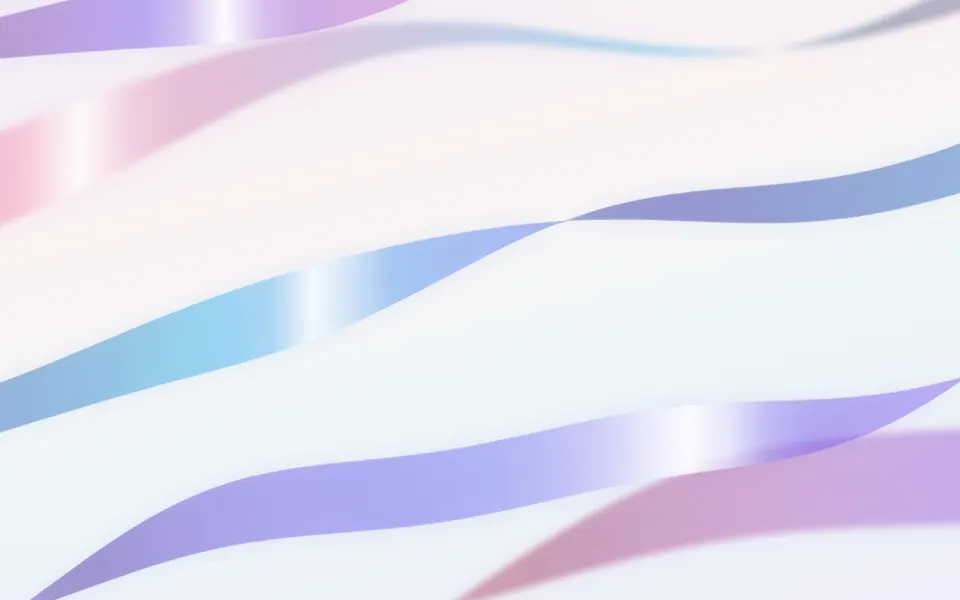
Ribbons Background
GradientsWide silk ribbons that twist and catch the light
- Pro
Silk Background
GradientsA satin surface rather than separate bands
- Pro
Quieter washes of colour
Aurora Background
SpaceSoft sheets of light, the same calm pace
- Pro
Paths Background
WavesThin curves instead of soft bands
- Pro
One precise waveform