shadcn.io is not affiliated with official shadcn/ui
A full-bleed lava lamp: fourteen drops of glossy liquid, small and large, drift through the whole section, fusing into one mass when they meet and pulling apart again, over a soft haze of the same color. The merged shape is lit, with a gloss along the edges that face the light and a shaded rim, so it reads as liquid rather than flat paint. Each drop is placed when the page renders and loops on a slow CSS keyframe path; one SVG filter blurs the drops together, cuts the blur sharp again and lights the result, which is what fuses them. Nothing runs in JavaScript. It's a soft translucent tint on a light page and a deeper, dimmer gloss on a dark one.
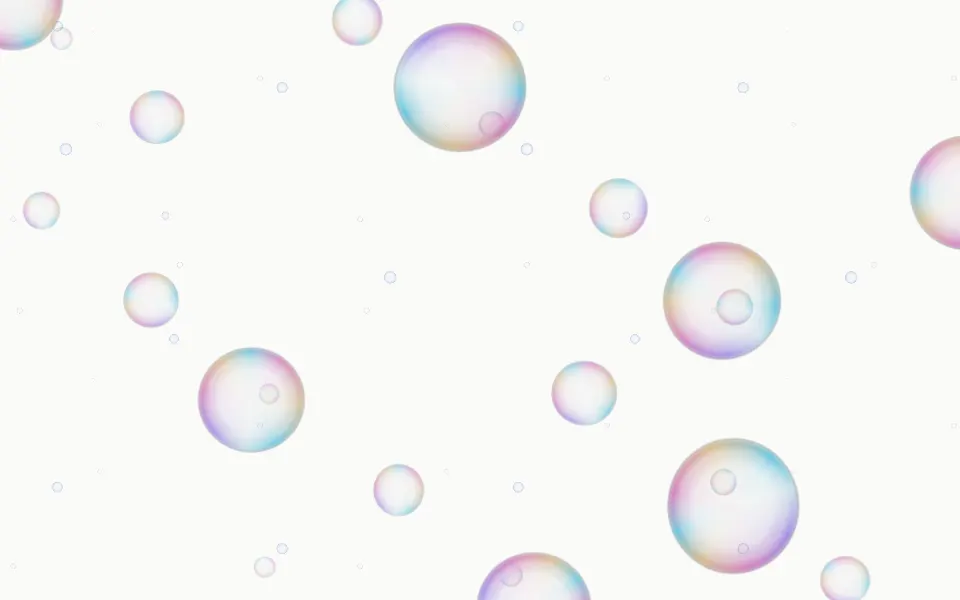
Use it behind a launch hero, an AI product page or a creative tool's landing section. For many small bubbles that rise instead of one slow mass, use Bubbles; for color that moves without any shapes, Gradient Animation; for ink blooming in water, Ink.
Installation
Usage
import { Metaballs } from "@/components/ui/metaballs";<Metaballs className="flex min-h-[32rem] items-center justify-center">
<h1 className="text-5xl font-semibold">Fluid by design</h1>
</Metaballs>Metaballs is a container: whatever you put inside sits on top of the liquid, in normal flow. It fills its own box, so give it a height or content. For a backdrop behind the whole page, render it empty with className="fixed inset-0 -z-10".
Demos
In a card
Here it fills a card: count={7} for fewer drops and speed={0.7} for a slower drift. Drops are sized from the box, so the lamp works at card size too; a drop is never smaller than its blur allows, or the filter would blur it away.
Colors
colors takes any CSS colours: the first is the liquid, the others tint the drops' cores, cycled. Here a classic amber lamp with orange, red and yellow cores, and speed={0.6} for a slower drift.
Accessibility
The liquid is decoration: it's hidden from assistive tech and lets every click through to your content. With reduced motion every drop stops where it is, so a still, fused composition stays. Nothing flashes.
Put copy over it in your foreground colour (text-foreground). With the default colours it keeps about 4.5:1 or more at the worst spot in both colour schemes: dark text over the pale liquid, light text over the dim gloss, which is held back on a dark page for this reason. Keep long body copy on a surface all the same, since the mass keeps moving under it, and check again with your own colors.
FAQ
How do the drops merge?
A filter blurs the drops together and cuts the blur at a threshold, so drops whose glows overlap become one shape with a smooth neck. The same blurred shape is lit by a soft light from the top left, so the merged mass gets one continuous gloss, as a real liquid would.
How do I make them fuse sooner or later?
Raise blur to join drops from farther apart and round the necks, or lower it for distinct drops. count sets how many drift, from 4 to 18.
How do I change the colours?
The first of colors is the liquid and the others tint the cores; any CSS colours work, theme variables too. You can also set --metaballs-color and --metaballs-color-1 to --metaballs-color-3 in your CSS. The haze behind takes the liquid's colour.
What does rim do?
It lights the liquid: a gloss on the edges that face the light and a shaded band along the edge of the mass. rim={false} gives flat, unlit drops; it costs about the same either way.
API Reference
Metaballs
<div> data-slot="metaballs"
blur?number
How far apart drops can be and still fuse: the blur the goo is made from, in pixels. Higher joins drops from farther apart and rounds the necks between them; lower keeps them as distinct drops.
- Default
22
colors?string[]
CSS colors: the first is the liquid, the others tint the drops' cores, cycled. By default an indigo liquid with violet, orchid and coral cores.
count?number
How many drops drift through the box, from 4 to 18. @default 14.
- Default
14
rim?boolean
Whether the liquid is lit: a soft gloss catches the edges that face the light and the edge of the mass is shaded, so it reads as glossy liquid instead of flat paint.
- Default
true
speed?number
How fast the drops drift: 2 is twice as fast, 0.5 half as fast.
- Default
1
render?ReactElement | ((props: object, state: object) => ReactElement)
Replace the host element or compose it with another component.
- Type
ReactElement | ((props: object, state: object) => ReactElement)
className?string
Merged with the part's classes.
--metaballs-colorstring
The liquid's color (indigo).
--metaballs-color-1string
The first core color (violet).
--metaballs-color-2string
The second core color (orchid).
--metaballs-color-3string
The third core color (coral).
--metaballs-goostring--metaballs-speedstring
How fast the drops drift, a multiplier (1).
Related
- Pro
Bubbles Background
ParticlesSoap bubbles rising instead of one fused mass
- Pro
Gradient Animation Background
GradientsBlurred colour that moves without hard edges
Mesh Gradient Background
GradientsSoft blobs, static-feeling
- Pro
Plasma Background
GradientsThe whole frame as a banded colour field
- Pro
Ink Background
GradientsInk blooming in water
- Pro
Watercolor Background
GradientsSoft watercolour washes on paper