shadcn.io is not affiliated with official shadcn/ui
Backgrounds
ProHeatmap Background for React
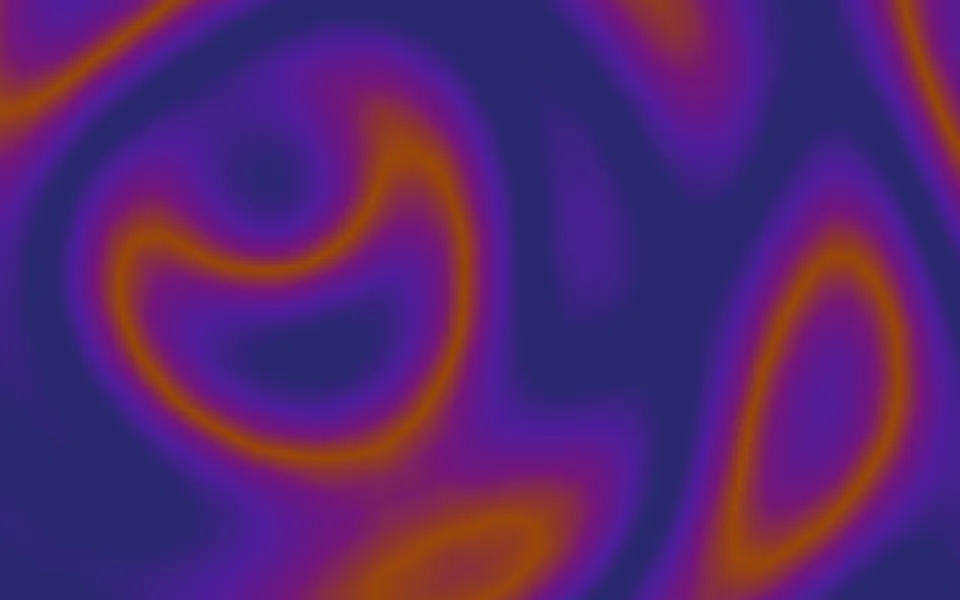
A thermal-camera view: large, soft heat signatures drift across a cool field and warm where they meet, through an inferno ramp in dark mode and a warm tint in light mode. For React with Base UI, when an observability, security or energy product page should feel instrumented.
A thermal-camera view: large, soft heat signatures drift across a slowly shifting cool field, breathing, and warm where they meet, as real heat does. On a dark page it's an inferno ramp, near black through purple and orange to a pale yellow core; on a light page the cool field stays clear and only the warm areas tint your page, peach through orange to red. Two dim grey waves slide past each other, soft grey glows are screened on top so overlapping heat adds up and eases toward the top of the palette instead of clipping, and an SVG gradient map paints the result, alpha included, with no canvas and no script.
Use it behind an observability dashboard's hero, a security product or a climate and energy launch. For a colour field without hot spots, use Plasma, the same gradient map with a looping palette; for contour lines of a moving field, Topography; for another instrument screen, Sonar.
Installation
Usage
import { Heatmap } from "@/components/ui/heatmap";<Heatmap className="flex min-h-[32rem] items-center justify-center">
<h1 className="text-5xl font-semibold">Every signal, in view</h1>
</Heatmap>Heatmap is a container: whatever you put inside sits on top of the thermal image, in normal flow. It fills its own box, so give it a height or content. For a backdrop behind the whole page, render it empty with className="fixed inset-0 -z-10".
Demos
In a card
A card-sized box: count={3} for three hot spots, intensity="subtle" so numbers on top read easily, and reticle for an instrument's crosshair and ring at the centre.
Colors
colors takes hex colours from cold to hot, six digits, or eight with an alpha; here a night-vision ramp from near black through green to a green-white glare, at full strength (intensity="strong"). These are opaque, so the image is the same in both colour schemes.
Accessibility
The thermal image is decoration: it's hidden from assistive tech and lets every click through to your content. With reduced motion the field and the hot spots hold still, so a still thermal frame stays. Nothing flashes: a hot spot takes 3 to 6 seconds to warm and as long to cool.
Put copy over it in your foreground colour (text-foreground). With the default palettes, the default medium keeps it above 5:1 in light mode and about 4:1 or more in dark mode at the hottest moment, enough for headings; subtle is higher still, for body text. At strong the hot cores reach the top of the palette, so put copy on a surface of its own.
FAQ
How does it work?
Soft grey glows add up where they overlap, and a gradient-map filter turns that brightness into the thermal palette, so two hot spots fuse into one hotter area, as real heat does. The glows are screened together, which eases toward white instead of clipping at it, so a hot core never shows a flat edge. Everything moves with CSS translate, scale and opacity, which the browser composites without repainting.
How do I change the palette?
Pass hex colors from cold to hot: greens for night vision, greys for a mono camera. Eight digits add an alpha, so #fff7ed00 leaves the cold end clear, as the light default does. They have to be hex, because an SVG filter can't read CSS variables, and they replace both default palettes.
Why does it look different in light and dark mode?
It has two palettes. On a dark page an inferno ramp gives the thermal-camera look; on a light page a dark field would swallow the page, so the cool end is clear and only the warm areas tint it, peach through orange to red.
What are the hot spots?
count heat sources, from 0 to 10, large and soft, drift on slow loops and breathe; heat sets how hot they run, from cool at 0.5 to cores at the top of the palette above 1.
How do I keep text readable?
Keep the default medium for headings, or use intensity="subtle" behind body text. At strong, set the copy on a surface.
API Reference
Heatmap
<div> data-slot="heatmap"
colors?string[]
The thermal palette, cold to hot, as hex colours: six digits
(#0b1e5b), or eight with an alpha (#0b1e5b00 is clear), used in
both colour schemes. It must be hex: an SVG filter maps heat to these
colours, and SVG filters can't read CSS variables. By default an
inferno ramp in dark mode (near black, purple, orange, pale yellow)
and, in light mode, clear through peach and orange to red, so only
the warm areas tint your page.
count?number
How many hot spots drift across the field, from 0 to 10. @default 6.
- Default
6
heat?number
How hot the hot spots run: 0.5 keeps them cool, 1.5 burns their cores to the top of the palette.
- Default
1
intensity?"subtle" | "medium" | "strong"
How strongly the thermal image shows over your page: strong in
full, medium a little softened, subtle the faintest, for
text-heavy sections.
- Type
"subtle" | "medium" | "strong"- Default
"medium"
reticle?boolean
Whether a faint crosshair and ring mark the centre. @default false.
- Default
false
scale?number
How fine the cold field's ripples are: 2 is twice as fine, 0.5 twice as broad.
- Default
1
speed?number
How fast the field and the hot spots drift: 2 is twice as fast, 0.5 half as fast.
- Default
1
render?ReactElement | ((props: object, state: object) => ReactElement)
Replace the host element or compose it with another component.
- Type
ReactElement | ((props: object, state: object) => ReactElement)
className?string
Merged with the part's classes.
--heatmap-heatstring
How hot the hot spots run, a multiplier (1).
--heatmap-mapstring--heatmap-map-darkstring--heatmap-scalestring
How fine the cold field's ripples are (1).
--heatmap-speedstring
How fast everything drifts, a multiplier (1).
Related
- Pro
Plasma Background
GradientsThe same gradient map with a looping palette
- Pro

Topography Background
GenerativeContour lines of a moving field
- Pro
Sonar Background
TechAn instrument display with a sweep
- Pro
Another instrument screen
- Pro
Metaballs Background
GradientsBlobs that fuse into one

Mesh Gradient Background
GradientsSoft colour fields with no palette map