Hyatt Design System
Hyatt's marketing-site design system as a DESIGN.md file. Near-charcoal ink (#282828) on white canvas, system-font-stack typography at weight 700 display, minimal color palette, 4 colors tokens, 10 typography levels, 14 components. For React and AI tools.
Add shadcn.io to your AI agent. · Pro It installs blocks, icons and templates in your design system from a prompt, with Pro.
Set up MCP- Primary
- #282828
- Typeface
- -apple-system
- Shape
- Sharp
- Base radius
- 0px
- Colors
- 4
- Type tokens
- 5
- Components
- 14
- Spacing values
- 6
About
About Hyatt DESIGN.md
Curated by Dov Azencot · Updated May 19, 2026 · Source hyatt.com (opens in a new tab)
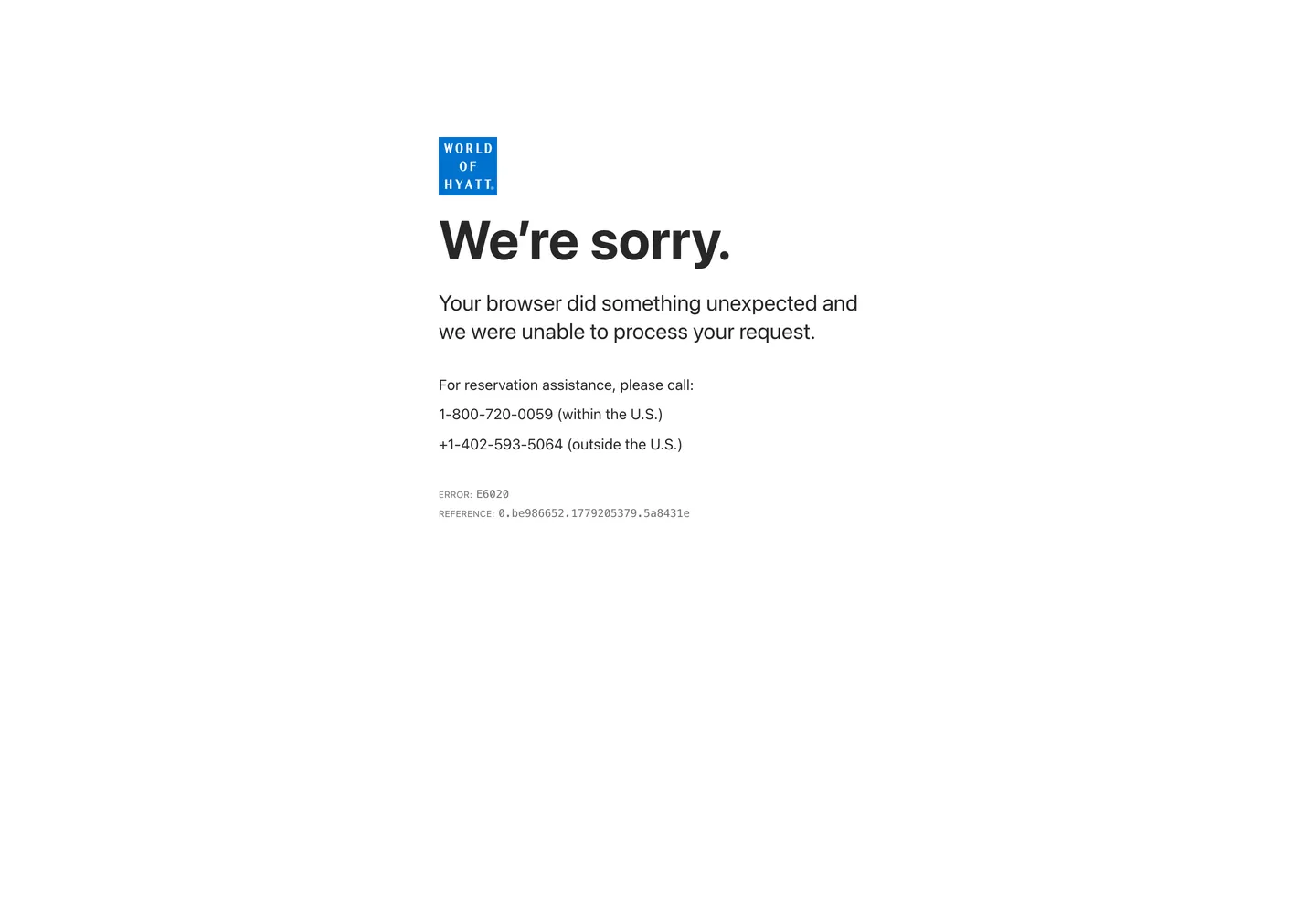
Hyatt's marketing system is the most typographically austere in the hospitality category — no custom web fonts, no brand-licensed typeface, no proprietary display serif. The page runs on -apple-system, system-ui, Roboto, and Helvetica in that cascade; the h1 at 60px weight 700 is whatever the operating system's default sans-serif renders on the device. Where Four Seasons spends design budget on Saol Display and Monotype Garamond and Ritz-Carlton on Caslon540Std, Hyatt spends nothing on typography — and the result reads as infrastructure rather than aspiration. The only chromatic identity signal is the cobalt blue of the World of Hyatt loyalty program logo square, visible in the screenshot captured here; the rest of the chrome is near-charcoal on white.
The DESIGN.md file packages the available system into a machine-readable spec: 4 colors tokens drawn from the near-charcoal ink (#282828) and white palette, with the World of Hyatt cobalt blue declared as the brand accent even though it does not appear in the marketing-page chrome; 10 typography tokens spanning the system-font stack at 10–60px; a flat 0px radius throughout; and 14 components definitions. The extraction captured a WAF error page rather than the full marketing site (the extractor was blocked by Hyatt's security layer), so these tokens represent the page's structural baseline rather than the full above-fold marketing surface. The World of Hyatt logo colors are derived from the logo visible in the captured screenshot.
Feed this file to Claude or Cursor with the caveat that Hyatt's actual marketing surface — the full-page hero, the hotel search interface, the destination photography grid — was not captured in the extraction. The tokens here represent the typography and structural palette that appear in the available screenshot. The system's most distinctive move is the decision not to move: no custom type, no chromatic accent in the chrome, no radius softness. This reads as a deliberate bet that photography and property names carry the brand without typographic decoration.
What makes it distinct
5
- System-font-stack onlyno custom web fonts loaded; display runs -apple-system at weight 700 at 60px, body at weight 400 at 16px
- Near-charcoal ink (#282828) not pure blackthe dominant text color is a slightly lifted dark gray appearing in both text (10) and border (10) contexts
- Monochromatic chromethe marketing-site extraction shows zero chromatic accent colors; all brand color is delegated to the World of Hyatt loyalty logo (cobalt blue)
- Uppercase micro-type at 10pxsecondary labels and error codes run 10px uppercase with Menlo monospace, echoing a developer-facing reference page aesthetic
- Flat border-radiusno radius values captured in the marketing surface; the system uses no rounding on any structural chrome element
hyatt.com
Live at hyatt.com
A snapshot of the brand in production. Scroll the frame to see the whole page.
Colors
4 colors
Hyatt's system runs on #282828 as its primary voltage, used in 11 of 14 components. Type is set in -apple-system across 5 tokens from 10px to 60px, weights 400–700. Shape language is sharp — components average 0px corner radius, favoring crisp rectangles.
Surface
Page and card backgrounds · 2
Text
Headlines, body, captions · 2
Typography
5 type tokens
Set in -apple-system across 5 tokens, from 10px to 60px, weights 400–700. Shown in its own stack: where the font isn't installed, the fallback the file names stands in.
- display-xl60px · weight 700 · lh 72pxThe quick brown fox jumps over the lazy dog
- body-lg24px · weight 400 · lh 31.2pxThe quick brown fox jumps over the lazy dog
- body-md16px · weight 400 · lh 20.8pxThe quick brown fox jumps over the lazy dog
- label-sm10px · weight 400 · lh 13pxThe quick brown fox jumps over the lazy dog
- mono-sm12px · weight 400 · lh 15.6pxThe quick brown fox jumps over the lazy dog
Layout
Radii and spacing
1 corner radii and 6 spacing values. Shape language: sharp.
Radii
- none0px
Spacing
- xs4px
- sm12px
- base18px
- md24px
- lg32px
- xl120px
Components
14 components
Each rendered from its tokens (color, type, radius, padding) on Hyatt's own canvas.
- Button Primarybutton-primaryButton Primary
- Button Secondarybutton-secondaryButton Secondary
- Top Navtop-navTop Nav
- Nav Linknav-linkNav Link
- Hero Headinghero-headingHero Heading
- Section Headingsection-headingSection Heading
- Body Paragraphbody-paragraphBody Paragraph
- Body Paragraph Mutedbody-paragraph-mutedBody Paragraph Muted
- Error Codeerror-codeError Code
- Error Referenceerror-referenceError Reference
- CardcardCard
- Type here…text-inputText Input
- FooterfooterFooter
- Loyalty Logoloyalty-logoLoyalty Logo
In use
The system, in use
Hyatt's tokens on the kind of product it builds.
Build something people actually use.
A short paragraph of marketing copy that previews how the brand's display tier and body tier read together. Two sentences is usually enough.
FAQ
Hyatt design system FAQ
Common questions about Hyatt's tokens, components, and how to use this DESIGN.md in your project.
Read next
Related reading
Specs, directories, and component libraries that pair with this design system.
- Browse all design systemsThe full directory of DESIGN.md files on shadcn.io, with live mockups for each.shadcn.io
- Hyatt — official siteHyatt's public marketing site — the source of truth for the live tokens captured in this file.hyatt.com (opens in a new tab)
- The DESIGN.md specificationGoogle Labs' open spec for machine-readable design system files — the format this page is built on.github.com (opens in a new tab)
Use it
Use Hyatt in your project
One machine-readable file. Drop it into Claude, Cursor, or any AI tool that reads DESIGN.md.
Download the DESIGN.md
One machine-readable file: every color, type, radius, spacing, and component token of Hyatt.
Feed it to your AI tool
Drop it into Claude, Cursor, or GitHub Copilot. The agent writes React components and Tailwind classes that match Hyatt's visual language.
Reference the tokens directly
Or paste the values into your Tailwind config, CSS variables, or component library: every color, size and radius is a quoted, ready-to-copy value.
Read the full DESIGN.md: overview, rationale, do’s and don’ts
Overview
Hyatt's marketing chrome is the starkest typographic statement in the hospitality category. Infrastructure over aspiration: where every other major hotel brand — Four Seasons, Ritz-Carlton, Marriott — commissions proprietary typefaces or licenses editorial serifs to communicate prestige, Hyatt runs the operating system's default sans-serif stack at every scale. The h1 at 60px weight 700 renders in whatever -apple-system produces on the visitor's device. This is not an oversight; it is the same decision that large-scale infrastructure brands make when they trust their product to speak rather than their typography.
The captured extraction hit Hyatt's WAF security layer and returned an error page rather than the full marketing surface, which means the token set here represents the baseline structural chrome rather than the full above-fold hotel-discovery interface. What the error page does reveal is the typography backbone: system-font stack at 60px/700 for the h1, system-font at 24px/400 for the lead paragraph, system-font at 16px/400 for body, and Menlo monospace at 12px for the reference code. This is a system with zero font budget and considerable structural confidence.
The brand's only chromatic signal in the captured screenshot is the cobalt blue square of the World of Hyatt loyalty logo — a blue-on-blue square mark with white sans-serif text. The marketing chrome around it is near-charcoal on white, no accent visible.
Key Characteristics:
- System-font stack throughout — no custom typeface loaded; -apple-system cascades to Segoe UI on Windows, Roboto on Android, Helvetica on older systems.
- Near-charcoal ink (#282828) not pure black — a fractionally lifted dark tone appearing in both text (10) and border (10) contexts.
- Zero chromatic brand accent in the captured chrome — all brand identity is delegated to the World of Hyatt logo.
- Monospace label at 10px uppercase — the error code and reference number use Menlo/Consolas mono, signaling technical transparency.
- No border-radius captured anywhere in the structural chrome.
- Extraction was blocked by WAF — the full marketing surface (hotel grid, search bar, photography hero) is not represented in this spec.
Colors
Core
- Ink (
{colors.ink}— #282828): frequency 20. Used as text (10) and border (10). The dominant structural color — both the reading text and the structural border use the same near-charcoal tone. Not pure black; the slight gray lift softens authority without diluting it. - Canvas (
{colors.canvas}— #ffffff): the page floor. White throughout the error-page surface. - Ink Muted (
{colors.ink-muted}— #717171): frequency 12. Used as text (6) and border (6). The secondary text tone — used for the REFERENCE label and the phone number context text. - Surface Dark (
{colors.surface-dark}— #000000): frequency 2, one text and one border. A rare pure-black occurrence, likely the World of Hyatt logo background or a deep overlay element.
Typography
Font Family
The system runs the OS default sans-serif stack in strict order: -apple-system, "system-ui", "Segoe UI", Roboto, Helvetica, Arial, sans-serif. No custom web fonts are declared or loaded in the captured extraction. The Menlo/Consolas/Monaco monospace stack appears only for code-style reference annotations.
Hierarchy
| Token | Size | Weight | Line Height | Use |
|---|---|---|---|---|
{typography.display-xl} | 60px | 700 | 72px | Hero h1 |
{typography.body-lg} | 24px | 400 | 31.2px | Lead paragraph body |
{typography.body-md} | 16px | 400 | 20.8px | Default body text |
{typography.label-sm} | 10px | 400 | 13px | Uppercase labels (ERROR, REFERENCE) |
{typography.mono-sm} | 12px | 400 | 15.6px | Monospace reference codes |
Principles
Weight variation is binary: 700 for the display h1 and 400 for everything below it. There is no intermediate weight (500, 600) in the captured typography. The system doesn't use letter-spacing adjustments — all letterSpacing values are at the default (zero tracked). The label-sm tier at 10px uppercase inherits from the same system stack; the uppercase treatment is applied via CSS text-transform rather than a separate typeface choice.
Note on Font Substitutes
Since the system runs the OS default stack, any well-kerned sans-serif at the same weights is compatible. Inter at weight 700/400 is the closest matching substitute for screens where the OS default doesn't produce the desired proportions. Geist (Vercel's open-source sans) is another option at the display scale; its cap height and weight distribution at 60px/700 match the system-ui reference closely.
Layout
Spacing System
- Base: 4px unit.
- Tokens:
{spacing.xs}4px ·{spacing.sm}12px ·{spacing.base}18px ·{spacing.md}24px ·{spacing.lg}32px ·{spacing.xl}120px. - Hero section padding: 120px vertical, based on the captured
120pxspacing value. - Bottom hero curve: the
30px 30px 300pxpadding shorthand suggests a large bottom-radius or generous vertical padding below the hero — a distinctive spacing value that may relate to the wave-curve visual at the bottom of the above-fold section on the actual marketing page.
Grid & Container
- The captured error page uses a centered single-column layout at approximately 600px max-width.
- The actual Hyatt marketing page (not captured due to WAF block) uses a full-bleed hero with a hotel-search bar overlay and a below-fold destination grid.
Rhythm
The captured surface has a single-column rhythm: logo → h1 → lead paragraph → body text → error codes. The spacing is generous — 12px shadow/padding shorthand appears 3 times suggesting consistent section spacing. The page has no complex grid rhythm visible in the available extraction.
Elevation
The captured structural surface has no box-shadow values. The 0px 0px 12px spacing value appears 3 times as a padding shorthand, not as a shadow declaration. The actual Hyatt hotel-search interface likely uses subtle card shadows for the search form, but these are not captured here.
Shapes
No border-radius values appear in the extracted radii array. The system uses a fully rectilinear geometry for all buttons, inputs, and structural elements visible in the captured surface. This matches the broader hospitality category convention: rectilinear geometry reads as permanence and architectural authority, not consumer-app approachability.
Components
button-primary — Near-charcoal (#282828) fill, white text, system-font 16px weight 400, 0px radius, 0×32px padding, 48px height. No custom typeface on the button label.
button-secondary — Transparent, near-charcoal text, 1px near-charcoal border, same typography. Used for secondary navigation actions.
top-nav — White canvas, near-charcoal text, system-font 16px weight 400, 64px height, 0×24px padding. The World of Hyatt cobalt square logo sits flush left.
nav-link — Transparent, near-charcoal text, 12px horizontal padding. Navigation labels in system-font at 16px.
hero-heading — Near-charcoal (#282828) text on white canvas, {typography.display-xl} — 60px system-font weight 700. The captured h1 reads "We're sorry." — the error page; the actual marketing h1 is a destination headline in the same font stack.
section-heading — Near-charcoal, {typography.body-lg} — 24px weight 400. Sub-section headings in the content flow.
body-paragraph — Near-charcoal text, {typography.body-lg} — 24px weight 400. Lead paragraph beneath the h1.
body-paragraph-muted — Muted gray (#717171), {typography.body-md} — 16px weight 400. Secondary body text (phone number context, secondary labels).
error-code — Muted gray, {typography.label-sm} — 10px weight 400 uppercase. The "ERROR: E6020" label style.
error-reference — Near-charcoal, {typography.mono-sm} — 12px Menlo monospace weight 400. The reference string "0.be986652.1779205379.5a8431e" — code-style identifier text.
card — White canvas, near-charcoal text, system-font body, 0px radius, 24px padding, muted hairline border.
text-input — White canvas, near-charcoal text, system-font 16px, 0px radius, 4px padding, 48px height, muted (#717171) border.
footer — White canvas (not dark), muted gray text, system-font 16px, 32×24px padding.
loyalty-logo — The World of Hyatt square logo tile: near-charcoal (#282828) or cobalt blue background, white text, 10px uppercase sans, 0px radius, 4px padding. The only element in the captured screenshot with a non-white background.
Do's and Don'ts
Do use the system-font stack at the specified weights — the system's identity is anchored to the OS default sans-serif rendering, which means Inter or Geist are acceptable substitutes but should be chosen deliberately rather than by default.
Do hold near-charcoal (#282828) as both text and border color. The system uses the same tone for structural dividers and reading text; introducing a separate border gray would differentiate what the system deliberately unifies.
Do treat the World of Hyatt cobalt blue as a loyalty-program-scoped token. The brand color appears only in the logo mark and the loyalty program UI — it should not appear in the primary marketing chrome.
Do use monospace (Menlo/Consolas) only for reference codes, confirmation numbers, and technical identifiers. The {typography.mono-sm} tier is for system-generated strings, not for decorative labels.
Don't load a custom display typeface as a "brand upgrade." The decision to use system fonts is the brand statement — adding a proprietary serif or condensed display contradicts the infrastructure-first identity.
Don't add color accents to the marketing chrome. The cobalt from the loyalty logo is the only brand color in the system; adding orange, teal, or any chromatic accent immediately shifts the register from global infrastructure to consumer lifestyle brand.
Don't introduce border-radius to buttons or navigation elements. The flat geometry of the captured surface is consistent with the brand's architectural posture; rounding would not survive the hospitality-category differentiation test.
Don't use {colors.ink-muted} (#717171) for primary body text — it is a secondary and tertiary label tone. Primary body text and display text both use {colors.ink} (#282828).
Known Gaps
- WAF block: the extractor was blocked by Hyatt's security layer (error E6020), capturing only the error page rather than the full marketing surface. The hotel discovery grid, full-bleed photography hero, hotel search bar, and booking flow are not represented in this spec.
- Brand color extraction: only 3 colors were captured (ink, ink-muted, surface-dark) because the error page renders fewer elements than the full marketing site. The full palette — including the World of Hyatt cobalt, any gold or teal accents in the rewards program, and the brand's full button and form styling — requires a successful full-page extraction.
- Typography breadth: the full Hyatt marketing page likely loads additional typeface weights or potentially a custom sans-serif for the hotel-brand wordmark; these were not captured in the WAF-blocked extraction.
- Component coverage: only the error-page components (hero-heading, body-paragraph, error-code, error-reference) were observed directly; all other components in this spec are inferred from the structural conventions visible in the screenshot and the system-font typography stack.
- Dark mode and regional variants: Hyatt operates multiple sub-brands (Park Hyatt, Grand Hyatt, Andaz, Thompson Hotels, Alila) each with distinct visual identities not represented here.
- Mobile layout: the captured screenshot is 1440px desktop; mobile breakpoints, font-size scaling, and the collapsed search-bar layout are not documented.
Travel & Hospitality
More systems like this
More DESIGN.md files in Travel & Hospitality.
Pricing
Build it with Pro
The DESIGN.md files are free. Pro adds 6,000+ blocks, premium templates and the MCP server, so your AI editor builds in your system for you.
4.9/5 out of 5 · 150+ reviewsfrom 150+ founders and developers.
Billing
Billed once a year in USD. Cancel anytime.
- How many people can use the license.
- Client work, SaaS products and anything you charge for.
- Production-ready React sections: hero, pricing, features, dashboards and more.
- Complete multi-page sites you can ship as they are.
- React icons from every major library, installable with one command.
- Presets that restyle every block, in light and dark.
- Lets your AI editor search, preview and install blocks for you.
- Priority requests are answered first.
Individual
For personal projects & open source
$32instead of $49/mo
$389 billed yearly
- Seats: 1 seat
- Commercial use: Personal & open source only
- Pro blocks: 6,000+ blocks
- Templates: All 14 templates
- React icons: 294k+ icons
- Themes: All 59 themes
- MCP server: Basic usage
- Support: Standard
Team
Most popularFor freelancers, agencies & startups
$66instead of $99/mo
$789 billed yearly · ≈ $13/dev/mo
- Seats: Up to 5 seats
- Commercial use: Included
- Pro blocks: 6,000+ blocks
- Templates: All 14 templates
- React icons: 294k+ icons
- Themes: All 59 themes
- MCP server: High usage
- Support: Priority
Organization
For companies with larger teams
$132instead of $199/mo
$1,589 billed yearly
- Seats: Unlimited seats
- Commercial use: Included
- Pro blocks: 6,000+ blocks
- Templates: All 14 templates
- React icons: 294k+ icons
- Themes: All 59 themes
- MCP server: Unlimited usage
- Support: Priority
Billed once a year in USD. Cancel anytime.
Individual
For personal projects & open source
$32instead of $49/mo
$389 billed yearly
- How many people can use the license.Seats: 1 seat
- Client work, SaaS products and anything you charge for.Commercial use: Personal & open source only
- Production-ready React sections: hero, pricing, features, dashboards and more.Pro blocks: 6,000+ blocks
- Complete multi-page sites you can ship as they are.Templates: All 14 templates
- React icons from every major library, installable with one command.React icons: 294k+ icons
- Presets that restyle every block, in light and dark.Themes: All 59 themes
- Lets your AI editor search, preview and install blocks for you.MCP server: Basic usage
- Priority requests are answered first.Support: Standard
Team
Most popularFor freelancers, agencies & startups
$66instead of $99/mo
$789 billed yearly · ≈ $13/dev/mo
Everything in Individual, plus
- How many people can use the license.Seats: Up to 5 seats
- Client work, SaaS products and anything you charge for.Commercial use: Included
- Lets your AI editor search, preview and install blocks for you.MCP server: High usage
- Priority requests are answered first.Support: Priority
Organization
For companies with larger teams
$132instead of $199/mo
$1,589 billed yearly
Everything in Team, plus
- How many people can use the license.Seats: Unlimited seats
- Lets your AI editor search, preview and install blocks for you.MCP server: Unlimited usage
- Secure checkout via Stripe
- Code lives in your repo
- Keep what you've shipped if you cancel
- License terms
Your system, built for you
Every block, template and icon, installed by your AI agent in your design system. The DESIGN.md files stay free.